The ESO Login Suite is the sign in point for software built by ESO Solutions. Most people search for it under that name. ESO itself simply places a Log In link on its website. ESO was founded in 2004 and is based in Austin, Texas. According to ESO, thousands of customers across North America use its products. That includes EMS agencies, fire departments, hospitals and state EMS offices.
This guide covers the login steps, the features behind the page, and common fixes. It also explains other logins that share the ESO name. Every detail below comes from ESO pages and other sources checked before writing.
The ESO Login Suite is the secure sign in page for ESO Solutions software. ESO serves EMS agencies, fire departments, hospitals and government agencies. Users open the ESO site, select Log In, and enter their agency credentials. Which tools appear depends on the products the agency has bought.
Quick Answer
Open the official ESO website and select Log In. Sign in with the account your agency gave you. If the page fails, ask your agency admin first, then use the ESO support portal.
Key Takeaways
- The ESO Login Suite is the sign in page for ESO Solutions software.
- Start from the Log In link on the official ESO website.
- Your agency decides which ESO tools your account can open.
- Training and support use separate links on the ESO support page.
- Other systems share the ESO name, so check the address first.
What Is the ESO Login Suite?
The ESO Login Suite is the secure front door to ESO software. ESO describes its products as an integrated suite for EMS, fire and hospital teams. The login page leads staff to the tools their agency has bought.
Many users expect a simple website login. The ESO Login Suite is a work system for agencies. Staff normally receive access through their own agency.
ESO built its tools for crews who work under pressure. ESO says its mission is to improve community health and safety through data. The login page is simply where that work starts.
The name ESO Login Suite is a search phrase more than a product name. ESO labels the link Log In, and the page address uses the word esosuite. Both lead to the same place.
Who Uses the ESO Login Suite?
ESO groups its customers into four areas. Those areas are EMS, fire, hospital and government. Each area has its own set of tools.
The table below shows the tool groups ESO lists for each area. Tools vary by product. Agencies pick only what they need.
| Area | Tool groups listed by ESO |
|---|---|
| EMS | Patient care documentation, dispatch, billing, fleet and field operations, scheduling and personnel |
| Fire | Records and incident reporting, community risk and prevention, fleet and field readiness, scheduling and personnel |
| Hospital | EMS and hospital collaboration, hospital operations and strategy, registries and quality reporting |
| Government | Registries and quality reporting |
Performance, analytics and insights tools appear in the EMS, fire and hospital areas. Agencies choose the products they need. Not every user will see every tool.
Role matters as well. A medic, a fire captain and a billing clerk need different screens. Access is usually set by the agency, not by the user.
How to Access the ESO Login Suite
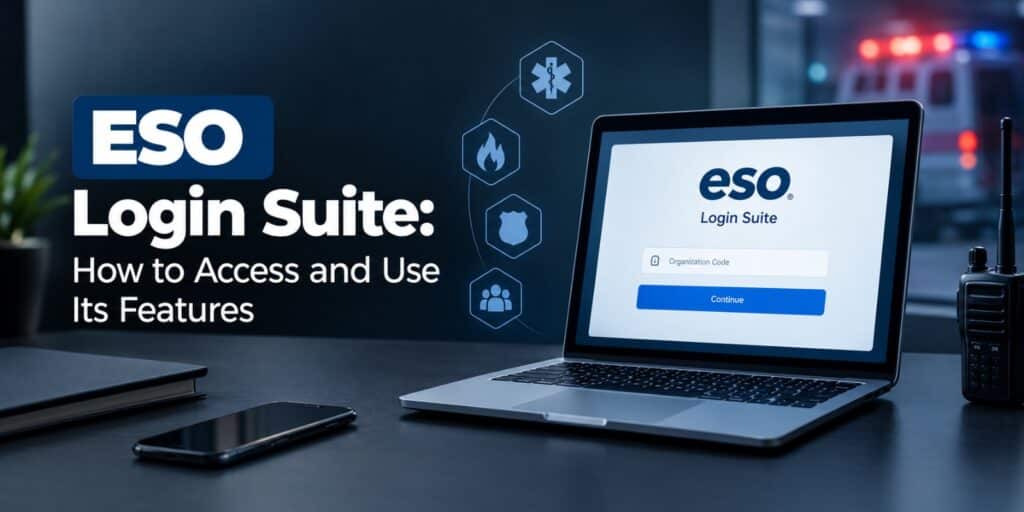
Use the Log In link on the ESO website to reach the ESO Login Suite. The sign in page sits at esosuite.net, linked from the ESO main menu. Starting there avoids copycat pages that may try to capture your password.
Before you sign in
Gather a few basics before you start. You need a working internet connection, an updated browser and your agency credentials. If you lack credentials, ask your agency admin first.
Step by step login
- Open the official ESO website at eso.com in your browser.
- Select Log In from the top menu to reach the official ESO login page.
- Enter the username and password your agency gave you.
- Follow the on screen prompts to open the tools your role allows.
- Sign out when you finish, especially on a shared computer.
These steps match the Log In link shown on the ESO website. The exact screens can differ by product and agency setup. Follow the on screen prompts if yours look different.
Training access through the same login
ESO links its online training from the support page. That link sends users through the same login first. According to ESO, courses are self paced and instructor led.
Customer portal and support login
ESO runs a separate customer portal for support requests. It is reached with the Portal Login button on the ESO support page. ESO also publishes a Customer Portal Guide for new users.
How New Agencies Get Access to ESO Suite
Agencies that are new to ESO usually begin with a demo. The Demo Request button on the ESO website starts that process. The demo helps an agency see which products fit its needs.
According to ESO, the next step is a subscription agreement. After that, ESO sets up a kick off call with the agency. An assigned project manager then guides the team up to the go live date.
ESO also schedules onsite training days when an agency asks for them. Staff can learn the tools before the go live date. This is why individual users should ask their own admin for login help.
ESO says its software runs in the cloud. Data is hosted in Microsoft Azure, so agencies do not maintain hardware for it. That keeps day to day setup simple for station staff.
ESO also says it sends data to the state for the agency. The process is automated. ESO says it follows each state schedule and required format.
Key Features Inside the ESO Login Suite
The features you see depend on your role and your agency products. ESO lists tools for EMS, fire, hospitals and government. The sections below cover the main groups.
EMS tools in the ESO Login Suite
ESO lists patient care documentation, dispatch, billing, fleet tools and scheduling for EMS. ESO calls its EHR the next generation ePCR. The term ePCR means electronic patient care report.
ESO states that its EHR and HDE meet NEMSIS 3.4 and 3.3.4 requirements. NEMSIS is the national standard for EMS data. HDE is the ESO Health Data Exchange, built for sharing records.
Fire tools in the ESO Login Suite
ESO Fire covers records and incident reporting, community risk, fleet readiness and personnel. ESO says its Fire product meets NERIS requirements. NERIS stands for National Emergency Response Information System.
ESO says progressive validation helps crews finish reports faster and fix errors. Departments that use ESO EHR do not need a second report for the same call. That can save time after a long shift.
Hospital tools in the ESO Login Suite
ESO Hospital Suite connects EMS crews and hospital staff. According to Microsoft AppSource, crews can alert the emergency department about incoming cases. They can also send case summaries with pictures and video.
Hospitals can send outcome data back through a secure portal. That data can include vitals, procedures, lab results and imaging. EMS agencies use it to review how patients did.
Scheduling and personnel tools
ESO says its tools manage call outs, shift swaps and time off requests. They also track training, certifications and immunizations in one place. Managers can then see who is ready for duty.
Larry Hadland of South Snohomish County Fire Rescue described the role limits. He said medical records stay open only to administrative decision makers and HR. ESO publishes his comment on its fire page.
Reports and analytics
ESO also offers insights and analytics tools. These turn report data into performance and readiness measures. Agencies use them to see where they can improve.
How to Use the ESO Login Suite Day to Day
Treat the login as the start of a routine. Sign in, open the tool your role needs, and finish the task. Then sign out.
Fast report writing matters most for crews. Complete reports soon after each call, while details are fresh. Use the built in checks to catch missing fields.
Training helps new staff get comfortable quickly. ESO offers self paced and instructor led online training. Reach it from the training link on the ESO support page.
Habits that save time in the ESO Login Suite include the following. They take little effort. Most apply to every role.
- Finish reports during the same shift.
- Ask your admin about your role if a tool is missing.
- Review training courses when new features arrive.
- Bookmark the official login page.
Keep your account secure
Records in this software can hold sensitive health details. Never share your password, even with a trusted coworker. Sign out whenever you leave a shared computer.
Type the address yourself, or use the official ESO site menu. Search results can include copycat pages. Check the address bar before you enter a password.
ESO says it hosts NEMSIS electronic data securely in Microsoft Azure. Good habits on your side finish the job. For more account safety tips, browse the guides on TechWorldGarage.
ESO Login Suite Not Working? Common Fixes
Most login problems come from simple causes. Start with the address, then check the password and browser. The steps below are general browser advice, not an ESO policy.
- Confirm you opened the page from the official ESO website.
- Retype the password slowly, and check that Caps Lock is off.
- Clear your browser cache and cookies, or try a private window.
- Try another browser or another device.
- Ask your agency admin to confirm your account is active.
- Send a ticket through the ESO support portal.
Browser problems affect many sites, not only ESO. The troubleshooting guides on TechWorldGarage cover those basics. Try them before you contact support.
Forgot your password
We could not verify a public reset page for ESO Suite. Ask your agency admin to help first. If that fails, send a ticket through the ESO support portal.
When to contact ESO support
ESO lists tickets, training and billing help on its support page. Use the Create a Ticket form for technical problems. Include your agency name, the product and a short description.
Add screenshots if the page shows an error. Never include your password in a ticket. Hide any patient details before you attach images.
Other Logins That Share the ESO Name
The ESO name belongs to several unrelated systems. Searching for an ESO login can land on the wrong one. Check the table before you enter any password.
| System | What it is | Who uses it |
|---|---|---|
| ESO Suite | Software from ESO Solutions | EMS, fire and hospital teams |
| ESO User Portal | Account system of the European Southern Observatory | Astronomers and observing proposal users |
| Oracle Enterprise Single Sign-On Suite Plus | Enterprise sign on software from Oracle | Company IT teams |
| UPMC E-Sign-On | Sign on system at UPMC | UPMC staff |
If your agency uses ESO Suite, ignore the other rows. UPMC staff should use their own E-Sign-On system. Oracle sign on questions belong with your company IT team.
Never reuse one password across these systems. Each one has its own owner and rules. Reuse puts every account at risk.
Frequently Asked Questions
What is the ESO Login Suite?
The ESO Login Suite is the sign in page for ESO Solutions software. It gives EMS, fire, hospital and government staff access to their agency tools. Access depends on the products each agency has bought.
How do I log in to ESO Suite?
Open the official ESO website and select Log In. Enter the username and password your agency gave you. Follow the on screen prompts to reach your tools.
What should I do if I forget my ESO Suite password?
We could not verify a public reset page for ESO Suite. Ask your agency admin to help first. If that fails, send a ticket through the ESO support portal.
Who can use the ESO Login Suite in 2026?
Staff at agencies that use ESO products can sign in. On its site in 2026, ESO lists solutions for EMS, fire, hospitals and government. Ask your agency whether your role has an account.
Is the ESO Login Suite the same as the ESO User Portal?
No. The ESO User Portal belongs to the European Southern Observatory and supports its observing services. ESO Suite belongs to ESO Solutions and serves emergency response and healthcare teams.
Where can I find ESO training?
ESO links online training from its support page. The link asks you to sign in first. ESO says its courses are self paced and instructor led.
Final Thoughts on the ESO Login Suite
Login trouble in agency software often comes from small things. A wrong address, an old bookmark or a missing role causes many delays. Checking those first saves a support call.
The ESO Login Suite works best when staff know their role. They should also know their tools and their support route. Sign in from the official page, finish reports early, and ask your admin about access.
For background on digital patient charts, read the Wikipedia page on electronic health records. To explore products or request a demo, visit the official ESO website. Both are good places to start.