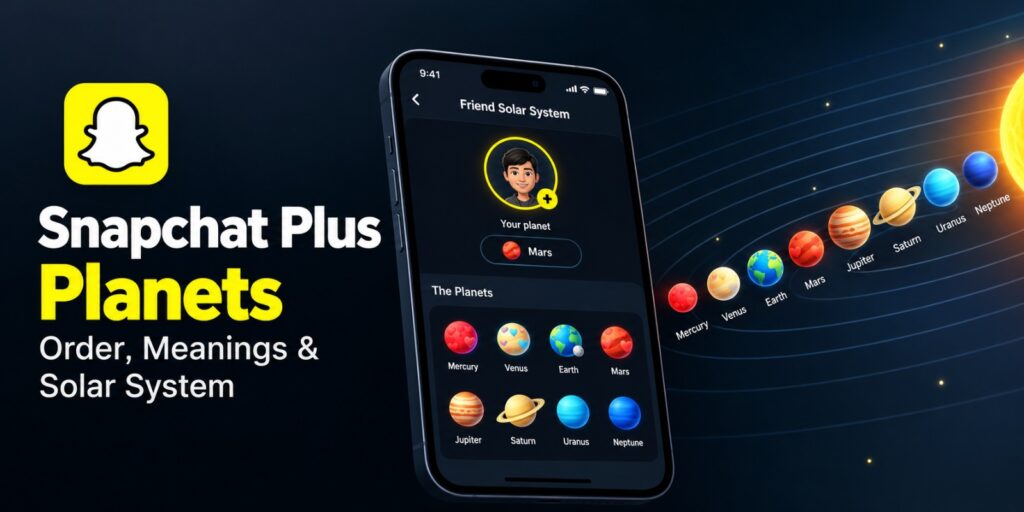
Snapchat Plus Planets are small planet icons that show your place in a friend’s circle. They appear inside the Friend Solar System feature, which comes with a Snapchat+ subscription. Many users see a planet and have no idea what it says about the friendship.
This guide explains the full planet order from Mercury to Neptune. You will also learn how to turn the feature on and check your own planet. Fixes for missing planets are covered too.
Snapchat Plus Planets are part of the Friend Solar System, a Snapchat+ feature. Each of eight planets shows your position on a friend’s Best Friends list. Mercury means number one, and Neptune means number eight. The order follows the real solar system, and Pluto is left out.
Key Takeaways
- Snapchat Plus Planets need a Snapchat+ plan and the Solar System option turned on.
- Eight planets run from Mercury, the first spot, to Neptune, the eighth spot.
- Snapchat has not published the exact formula behind the ranking.
- Your planet can change as your chats and snaps change.
- A Best Friends badge is mutual, and a Friends badge is not.
Open a friend’s Friendship Profile and tap the badge with the gold ring. You need Snapchat+, and the Solar System option must be on. Mercury is the top spot, and Neptune is the eighth.
What Are Snapchat Plus Planets and How Do They Work?
Snapchat Plus Planets turn a friend’s Best Friends list into a small space picture. According to Snap’s newsroom, the Solar System shows your friend as the Sun. Your Bitmoji sits on a planet that marks your position.
Snapchat launched Snapchat+ in 2022 as a paid plan with exclusive and early features. The Solar System is one of those extras. Snap said in April 2024 that the feature would be off by default.
Every friend has a Friendship Profile inside the app. The Solar System lives inside that profile. You reach it through a badge with a gold ring.
Who Can Use Snapchat Plus Planets?
Only Snapchat+ subscribers can use the Friend Solar System. Snap says the feature is available only with that plan. Snapchat+ is not offered in every country, so check the listing in the app.
Common Myths About Snapchat Plus Planets
Some users think Pluto is a hidden ninth planet. It is not. Digital Trends confirms the system uses eight planets and leaves Pluto out.
Others think a low planet means a friend dislikes them. Digital Trends says the planets do not measure friendship strength. They only mark a position based on activity in the app.
A third idea says friends can see your whole solar system. Snap says the feature is private and shows only your own position. Nobody gets a view of anyone else’s full list.
How Snapchat Decides Your Planet
Snap has shared only the broad idea behind the ranking. The newsroom post says the feature shows how often a friend communicates with you. Snapchat has not published the full formula.
Digital Trends reports that no guaranteed way exists to move a friend higher. The only advice is to interact with that friend more often. Sending snaps and replying to chats is the clearest way to do that.
The planet reflects activity on Snapchat, not closeness in real life. A friend you see daily may rank low if you rarely chat in the app. Treat the planet as an app activity signal only.
Can Your Planet Change Over Time?
Yes, planets are not permanent. Digital Trends says rankings update as your activity changes. A friend who is Mercury today could become Venus or Mars later.
Is the Friend Solar System Private?
Snap calls the Solar System optional and private. The newsroom post says it is not a numerical ranking. It also says nobody else can see it. The feature does not show any other friends.
In 2024, Snap said less than 0.25 percent of users used it daily, on average. Snap also noted that seeing a low spot can feel bad. Subscribers who want that insight can turn it on themselves.
Snapchat Plus Planets in Order From Mercury to Neptune
The Snapchat planets order follows the real solar system, starting nearest the Sun. Mercury is first and Neptune is eighth. Digital Trends notes that Pluto is left out.
| Planet | Position | What it means | How it looks |
|---|---|---|---|
| Mercury | First | Your top friend by activity | Red planet with red hearts |
| Venus | Second | A very close friend | Light planet with colorful hearts |
| Earth | Third | A strong and steady friend | Blue and green planet with a Moon |
| Mars | Fourth | A regular friend | Reddish planet with colorful hearts |
| Jupiter | Fifth | A casual friend | Large orange planet with stripes |
| Saturn | Sixth | An occasional contact | Pale yellow planet with rings |
| Uranus | Seventh | A lighter contact | Light blue planet |
| Neptune | Eighth | The last spot in the top eight | Deep blue planet |
Digital Trends says each planet marks a position, not a type of friendship. The short labels in the table are plain ways to read each position. Exact colors and hearts may vary by app version, so go by the planet name.
A quick way to read the order is by groups. Mercury, Venus and Earth sit in the top three. Mars and Jupiter sit in the middle, and Saturn, Uranus and Neptune close the list.
Mercury Means First Place
Mercury is the top planet and shows as a red planet with red hearts. It means you are first on that friend’s Best Friends list. Digital Trends calls Mercury the best planet to land on.
Venus and Earth Mean Second and Third
Venus is second place on the list, and it appears light with colorful hearts. Earth is third place, shown as a blue and green planet with a Moon. Both sit near the top, so both are strong spots.
Mars and Jupiter Mean Fourth and Fifth
Mars is fourth and has a reddish look with colorful hearts. Jupiter is fifth and appears as a large orange planet with stripes. Both sit in the middle of the eight spots.
Saturn and Uranus Mean Sixth and Seventh
Saturn is sixth and shows pale yellow with rings. Uranus is seventh and looks light blue. Both are lower spots, but both are still inside the top eight.
Neptune Means Eighth Place
Neptune is the eighth and final spot, shown as a deep blue planet. Digital Trends says the planets do not measure friendship strength. Anyone who lands on Neptune is still inside that friend’s top eight.
How to Turn On Friend Solar System in Snapchat Plus
Friend Solar System needs a Snapchat+ plan, and it may start switched off. Digital Trends says it is off by default for first time subscribers. You must turn it on yourself.
To subscribe, open your profile in the Snapchat app and tap the Snapchat+ banner. Pick a plan and follow the prompts. Plans and prices vary by country, so check the listing in the app.
Follow these steps to switch the feature on.
- Open Snapchat and tap your profile icon in the top left corner.
- Tap your Snapchat+ membership card.
- Find the Solar System option in the feature settings.
- Turn the toggle on.
Menu names can change after an app update. Update Snapchat from your app store if the option is missing. Subscribers can switch the feature off from the same place.
How to Check Your Snapchat Plus Planet
You check your planet from the Friendship Profile of a friend. The planet shows your position in their list. It does not show their position in yours.
Follow these steps to see your planet.
- Open Snapchat and go to your friend’s profile.
- Open their Friendship Profile.
- Look for the Best Friends or Friends badge with a gold ring.
- Tap the badge to see your planet in their Solar System.
You need an active Snapchat+ plan and the Solar System option turned on. Digital Trends lists the same two requirements. Without them, the badge may not show a planet.
Check a few close friends one after another to compare results. Each result comes from that friend’s own list. Expect different planets for different people.
Best Friends Badge vs Friends Badge on Snapchat
Snapchat shows two badges with a gold ring, Best Friends and Friends. They look close, but they mean different things. The Solar System applies to the Best Friends list.
A Best Friends badge means you are both in each other’s closest circle. Digital Trends describes this as a mutual link. Both of you rank each other highly.
A Friends badge means an active friendship, but the ranking is not mutual. You may sit high on their list while they sit low on yours. Digital Trends notes that someone can be your Mercury without you being theirs.
| Badge | What it shows | Mutual? |
|---|---|---|
| Best Friends | You are in each other’s closest circle | Yes |
| Friends | An active friendship with an uneven ranking | No |
Can Your Planet Differ From Your Friend’s Planet?
Yes, the two planets can differ. Your planet reflects your place on their list. Their planet reflects their place on yours.
Suppose you chat with one friend all day, but they chat with many people. You may be their Mars while they are your Mercury. Each list follows that person’s own activity.
You cannot see your friend’s full list either. Snap says the feature does not show any other friends. You only see your own position.
Snapchat Plus Planets Not Showing? Easy Fixes
Missing planets usually come from a setting or a subscription issue. Check the basics first before you change anything else. Each fix below is quick to try.
- Confirm your Snapchat+ plan is active, and restore the purchase if it shows as expired.
- Turn on the Solar System option inside your Snapchat+ membership card.
- Update Snapchat to the latest version from your app store.
- Close the app fully, then open it again.
- Check whether the friend’s Friendship Profile shows a Best Friends or Friends badge.
- Contact Snapchat Support from the app if nothing works.
Digital Trends says a missing badge can mean you are outside the friend’s visible ranking. In that case, nothing may be wrong with your phone. The friend may simply rank you outside the top eight.
If a fix works on one friend but not another, the cause is the ranking. The setting is fine in that case. Only friends who place you in their top eight show a planet.
You can find more phone and app guides on TechWorldGarage.
Final Thoughts on Snapchat Plus Planets
Snapchat Plus Planets give a quick look at where you stand with a friend. They reflect activity in the app, and they change often. A planet is a snapshot of recent activity.
Snap explains the idea in its official newsroom post from April 2024. Readers who want background on the app can open the Snapchat page on Wikipedia. Friendships do not depend on a ranking.
Snapchat Plus Planets work best as a light check on recent activity. They do not replace a real conversation. A quick message tells you more than any planet can.
People get the most from this feature when they treat it as a light check. If the result stings, switch it off and move on. For account help, Snapchat Support lists official answers for every feature.
Frequently Asked Questions
What is the order of Snapchat Plus Planets?
The order is Mercury, Venus, Earth, Mars, Jupiter, Saturn, Uranus and Neptune. Mercury is first and Neptune is eighth. Pluto is not included.
What is the best planet to be on Snapchat?
Mercury is the best planet. It marks the first position on a friend’s Best Friends list. Neptune is the eighth and last spot.
Do you need Snapchat+ to see Snapchat planets in 2026?
Yes. Digital Trends updated its guide in October 2026. It says you need Snapchat+ and the feature turned on. Update the app if you cannot find the option.
Can your Snapchat planet change?
Yes, your planet changes as your position on a friend’s list changes. Snapchat has not shared the exact formula. More snaps and chats with that friend are the only known way to move up.
Can other people see my Snapchat planets?
No. Snap says the Solar System is private and not visible to anyone else. It also does not show any other friends.
Why can’t I see my Snapchat planet?
Check that your Snapchat+ plan is active and the Solar System option is on. Also check that the friend’s profile shows the gold ring badge. You may not be in that friend’s visible ranking.