Quick Answer
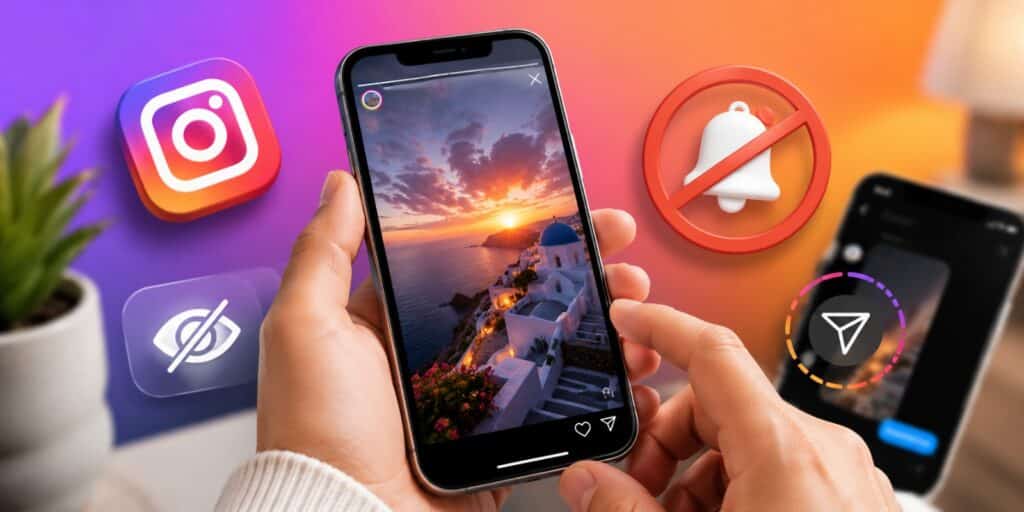
No. Instagram does not notify anyone when you screenshot a story, a post, a reel, or a profile. The single exception is a view once photo or video sent inside a direct message. Screenshotting that content sends the sender a small alert.
Key Takeaways
- Instagram does not send a screenshot notification for regular or close friends stories.
- The only content that triggers an alert is a view once or vanish mode DM.
- Instagram tested story screenshot alerts in 2018, then removed the feature.
- Third party apps that claim to reveal story screenshotters are not legitimate.
- Screen recording a story follows the same rules as taking a screenshot.
I manage social accounts for several clients, and this exact question comes up in almost every strategy call. Someone always wants to know if screenshotting a competitor story, a customer story, or an old post will alert the poster. I tested this myself across a personal account and a business account, and the pattern has stayed the same for years. This guide walks through what actually happens, content type by content type, so you know exactly where the line sits.
Do People See When You Screenshot Instagram Stories?
The short answer is no, people do not see when you screenshot Instagram stories. This applies whether the story is public, private, or shared only with close friends. Instagram removed its brief screenshot alert experiment back in 2018 and has not brought it back for standard stories.
You can screenshot a story, save it to your camera roll, and the poster gets no signal at all. There is no icon, no viewer list marker, and no delayed notice. The only place Instagram shows activity is the regular list of who viewed the story, not who screenshotted it.
This has been the case for several years now, and it applies across iPhone and Android equally. The operating system does not change how Instagram handles the notification, since the logic lives on Instagram’s servers. Whether you use gesture based screenshots or a button combination, the outcome stays the same.
People often confuse this with Snapchat, which does notify users about screenshots. That comparison is understandable, since both apps built their reputation on short lived, story style content. Instagram made a different choice early on, and that choice has held steady since 2018.
Screenshot Notifications By Content Type
Instagram treats different types of content very differently. Some content is built to disappear, and that content carries privacy protections that regular posts do not have. The table below breaks down what triggers a notification and what stays completely silent.
| Content Type | Screenshot Notification Sent |
|---|---|
| Regular Story | No |
| Close Friends Story | No |
| Story Highlight | No |
| Feed Post | No |
| Reel | No |
| Profile Photo | No |
| Regular DM Photo | No |
| View Once DM Photo or Video | Yes |
| Vanish Mode Chat | Yes |
The pattern is simple once you see it laid out. Anything meant to last, like a saved post or a normal story, is not protected. Anything built to disappear after one view carries a built in alert system.
This split matters because it tells you exactly where to be careful. If you send something private and want to know if it gets saved, use a view once message instead of a regular DM or story. If you are only worried about a normal story being captured, that concern does not match how the platform actually works.
Story highlights follow the story rule, not a separate one, since they are simply saved stories on your profile. Reels and feed posts behave the same way as they always have, with screenshotting treated as a normal, expected action. Instagram built its save and share features around the assumption that users will capture and revisit content.
Do People See When You Screenshot A Post Or Reel?
Feed posts and reels get asked about almost as often as stories, and the answer stays consistent. Instagram does not notify the poster when you screenshot a feed post, a carousel, or a reel. This applies whether the account is public or private.
The built in save feature, the bookmark icon under every post, was designed partly to reduce the need for screenshots. Instagram would rather users save content inside the app, where it can track engagement. Screenshotting simply pulls the content outside the app entirely, and Instagram has no visibility once that happens.
Profile photos fall under this same rule as well. Screenshotting someone’s profile picture, bio, or grid layout sends no alert of any kind. The absence of a notification here is one of the most consistent facts across every Instagram feature.
Can People See When You Screenshot Close Friends Stories?
Many people assume the green ring around close friends stories adds screenshot protection. It does not. Close friends stories follow the exact same rule as regular public stories.
Anyone in your close friends list can screenshot, save, or forward that content without you ever finding out. The close friends feature only limits who can view the story in the first place. It does nothing to track what viewers do with it once they are inside.
If you are sharing something sensitive, treat close friends the same as a public story. Assume it can be captured and shared further. The privacy control is about the audience, not about what that audience does next.
The One Exception Where People Can See You Screenshotted
There is exactly one area where Instagram does alert a sender about screenshots, and it involves direct messages. If someone sends you a photo or video marked as view once, the app tracks what happens to it closely.
Screenshotting or screen recording a view once DM triggers an immediate alert to the person who sent it. You will notice a small eye icon with a number before you open this kind of content. Once you screenshot it, the sender sees a notice in the chat right away.
The same rule applies to vanish mode conversations. If a chat is set to vanish mode and you screenshot the thread, the other person is told. This exception exists because Instagram designed that content to be temporary and private by nature.
It helps to think about the difference in terms of intent rather than format. Instagram protects content the sender explicitly marked as fleeting, like a view once photo. It does not protect content shared broadly, like a story visible to hundreds of followers.
This is also why disappearing photos sent as regular attachments do not trigger anything. If a photo stays permanently in the chat history instead of disappearing after one view, screenshotting it is silent. The trigger is tied specifically to the view once and vanish mode settings, not to DMs in general.
Why People Cannot See When You Screenshot Stories
Instagram tested a screenshot alert for stories back in early 2018. Users pushed back almost immediately, saying it felt invasive and discouraged normal sharing. Instagram pulled the feature within weeks and has not reintroduced it for standard stories since.
Stories were built as a lighter, more casual way to share moments during the day. Adding a permanent screenshot log would work against that casual feel. Instagram has instead focused its privacy tools on view once and vanish mode content, where the disappearing nature makes tracking more relevant.
You may occasionally see posts online claiming Instagram has quietly rolled out story screenshot alerts again. As of 2026, no confirmed, global feature like this exists for regular stories. Always treat viral claims about new Instagram features with some caution until Instagram confirms them officially.
Instagram’s own help documentation still lists screenshot notifications as a feature tied to disappearing photos and videos in chat, not to stories. If a genuine platform wide change happened, it would appear in official release notes first. Screenshots of blog posts or forum threads claiming otherwise are not a reliable source on their own.
There is also a practical reason Instagram is unlikely to change this soon. Stories rely heavily on screenshots for organic sharing, since people often capture a story to repost or send to a friend outside the app. Adding a notification layer would likely reduce that casual sharing behavior across the platform.
Can Instagram See You Screenshot Without Notifying The Poster?
Instagram can technically detect when a screenshot happens inside its app, even for content that sends no alert. This detection is used for internal analytics rather than for notifying the person whose content was captured. Knowing this distinction helps explain why rumors about hidden tracking keep circulating.
Detecting an action and reporting that action to another user are two separate systems. Instagram clearly chose to build the reporting layer only around view once and vanish mode content. For everything else, detection may happen quietly on the back end, but it never reaches the original poster.
This is also why no browser extension or third party app can reliably show you screenshot activity on stories. Instagram does not expose this data through its official API to any outside developer. Any app or website claiming otherwise is either guessing or attempting to collect your login details.
How To Screenshot Instagram Stories Without People Seeing
Screenshotting a story on any modern phone takes only a couple of steps. There is nothing hidden or advanced about the process, since no notification exists to work around.
- On iPhone, press the side button and volume up button together.
- On most Android phones, press the power button and volume down button together.
- Open the story first, then time your screenshot before it advances.
- Use screen recording instead if you want to capture the full story with sound.
- Save the image directly from your camera roll once captured.
None of these steps require airplane mode or any special trick for regular stories. Airplane mode is only useful if you want to view a story without appearing in the viewer list at all.
Common Myths About Seeing Instagram Story Screenshots
A lot of confusion around this topic comes from mixing up different Instagram features. Story screenshots and story views are not the same thing, and that mix up causes most of the myths.
One common myth is that Instagram tells people how many times you screenshotted their story. This has never been true, even during the short 2018 test. Another myth claims third party apps can reveal who screenshotted your content, but Instagram never shares that data externally.
A third myth suggests using airplane mode hides a screenshot from detection. Airplane mode has no effect on screenshot notifications, since regular stories do not send any in the first place. It only prevents your view from being logged in the viewer list while offline.
How To Stop People From Screenshotting Your Stories
Since Instagram will not warn you about screenshots, protecting your content means controlling who sees it in the first place. A few built in settings help limit exposure without relying on notifications that do not exist.
You can hide your story from specific accounts through your privacy settings. Switching to a private profile means only approved followers can view your stories at all. Removing someone from your close friends list also stops them from seeing future close friends content.
For anything genuinely sensitive, sending it as a view once DM is safer than posting it as a story. That format at least alerts you if the recipient captures it. Regular stories offer no equivalent safety net once they are posted.
FAQs
Can people see if you screenshot their Instagram story?
No, people cannot see if you screenshot their Instagram story, whether it is public or shared with close friends. The only exception is view once content sent inside a direct message.
Does Instagram notify when you screenshot a post?
No, Instagram does not notify anyone when you screenshot a feed post, a carousel, or a reel. This rule applies to both public and private accounts equally.
Does Instagram tell you when you screen record a story?
No, screen recording a regular story sends no notification, just like a regular screenshot. The same view once DM exception applies to screen recording as it does to screenshots.
Is there an Instagram screenshot notification feature in 2026?
No, Instagram has not added a screenshot notification feature for stories in 2026. The policy has stayed the same since the 2018 test was removed, aside from the existing view once and vanish mode exception.
Does Instagram notify when you screenshot a DM?
Only for a specific type of DM. A regular photo or text message sends no alert, but a view once photo, video, or vanish mode chat does notify the sender.
How can you screenshot an Instagram story without them knowing?
Screenshot it the normal way through your phone’s button combination, since no notification exists for regular stories. There is no special trick needed because the story owner is never alerted either way.
Does Instagram notify when you save a story?
No, saving a story through a screenshot or screen recording sends no notification of any kind. Only Instagram’s own save feature for posts stays inside the app, and it does not alert the poster either.
Is there a close friends screenshot notification on Instagram?
No, close friends stories follow the same rule as regular stories and send no screenshot notification. The close friends label only controls who can view the story, not what happens after.
After testing this across both a personal and a business account for months, my conclusion has not changed. Instagram stories stay screenshot friendly, and the only real exception sits inside view once and vanish mode messages. If privacy matters more than convenience, control your audience through your settings rather than relying on a warning system Instagram simply does not provide for stories.
For the official rules on disappearing photo and video screenshots, see Instagram’s own Help Center article on the topic. For general background on the platform, see the Instagram entry on Wikipedia.
Read More: Best Friend List Planets: Order, Meaning & How to Check Yours