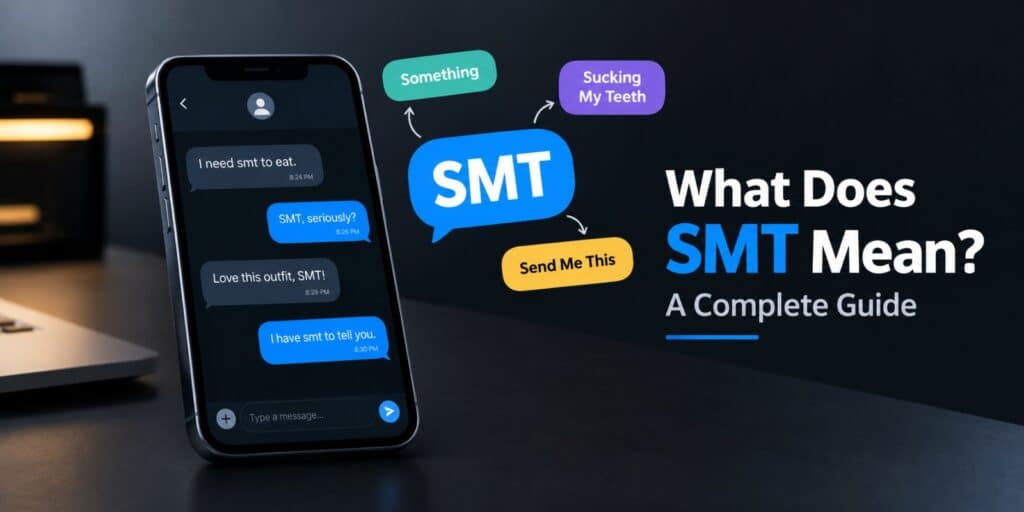
People ask what does SMT mean in technology and get two different answers. One answer sits inside your computer processor. The other sits on the circuit boards inside most gadgets. SMT stands for simultaneous multithreading in computing. It also stands for surface mount technology in electronics manufacturing. This guide explains both meanings in plain words.
You will also learn how to check SMT on your own PC. Then you can decide whether the setting needs any change. No technical background is needed to follow along. SMT in technology means simultaneous multithreading for processors. It lets one physical CPU core run two threads at once. In electronics, SMT means surface mount technology. It places components directly onto the surface of a circuit board. Context tells you which meaning applies.
Key Takeaways
- SMT has two main meanings, simultaneous multithreading and surface mount technology
- In a CPU, SMT makes one core appear as two logical processors
- Intel calls its version Hyper-Threading, while AMD simply calls it SMT
- In factories, SMT mounts parts on the board surface instead of through holes
- You can check CPU SMT in Windows Task Manager in about one minute
If you saw SMT in a BIOS or CPU spec, it means simultaneous multithreading. If you saw it near circuit boards or factories, it means surface mount technology.
What Does SMT Mean in Technology and Where Is It Used?
SMT is an acronym, and acronyms change meaning with the field. In computing, it names a processor feature. In electronics, it names a way to build circuit boards.
Anyone asking what does SMT mean in technology should check the field first. Neither meaning is more correct than the other. The right one depends on where you saw the term. The table below shows both side by side.
| Meaning | Field | Where you see it | Everyday example |
|---|---|---|---|
| Simultaneous multithreading | Computing | BIOS menus, CPU spec sheets | Intel Hyper-Threading, AMD Ryzen SMT |
| Surface mount technology | Electronics manufacturing | Factory reports, component datasheets | Circuit boards in consumer electronics |
BIOS menus and CPU spec sheets point to the processor meaning. Factory reports, datasheets and repair guides point to the board meaning. Reading the surrounding words usually settles it fast.
A Short History of SMT in Both Fields
The two meanings grew up separately, but both date back decades. Their timelines first overlap in the 1960s. The table below lists the key dates.
| Year | Event |
|---|---|
| 1960s | IBM does early work on surface mount technology, then called planar mounting |
| 1968 | IBM first researches simultaneous multithreading, according to Wikipedia |
| Late 1990s | Surface mount devices dominate high tech circuit assemblies |
| 2002 | Intel ships Hyper-Threading on Xeon and Pentium 4 chips |
| 2017 | AMD adds SMT to its first Zen processors |
Both fields share the same three letters, yet they solve different problems. One saves space on a board. The other saves wasted time inside a processor.
SMT in Computers, What Simultaneous Multithreading Means
Simultaneous multithreading is a CPU feature that improves how a core spends its time. A core often waits for data from memory. SMT lets a second thread use that waiting time.
According to Wikipedia, SMT is one of two main forms of hardware multithreading. The other form is temporal multithreading. Temporal multithreading runs only one thread at a time.
Wikipedia also notes that temporal multithreading produces less heat. That is its main edge over SMT. SMT accepts some extra heat in return for more work done.
How SMT Works Inside a CPU
A physical core has many execution units. One thread rarely keeps all of them busy. SMT lets two threads share those units at the same time.
The operating system sees each SMT core as two logical processors. A six core CPU with SMT shows twelve logical processors. Those twelve threads still share six cores of hardware.
According to Intel, an active Hyper-Threading core exposes two execution contexts. Each context handles a different software thread. This lifts throughput by using time the core would waste.
A TU Wien thesis says Hyper-Threading adds under 5% to chip size. The same source says the performance benefit can be much greater. That is a small cost for a possible gain.
SMT is not the same as doubling your cores. Two threads on one core share its resources. IntervalZero documentation says a hyperthreaded chip gains less than a true multiprocessor system.
Intel Hyper-Threading vs AMD SMT
Intel and AMD both use simultaneous multithreading, under different names. AMD calls its version SMT. And Intel calls its version Hyper-Threading
| Feature | Intel | AMD |
|---|---|---|
| Brand name | Hyper-Threading | SMT |
| First arrived | 2002 | 2017 with Zen |
| Threads per core | Two | Two |
| Core support | Performance cores only on hybrid chips | All Zen cores |
Not every Intel chip has the feature. Corsair notes that the Core Ultra 9 285K uses no Hyper-Threading on either core type. That chip has eight performance cores and sixteen efficiency cores.
This matters when you compare specs. Core counts and thread counts no longer follow a simple rule. Always check the thread number on the spec sheet.
SMT in Electronics, What Surface Mount Technology Means
In electronics, SMT means surface mount technology. It mounts parts directly onto the surface of a printed circuit board. According to 7PCB, uses include consumer electronics, sensor boards and industrial controllers.
According to Wikipedia, the method was first called planar mounting. IBM did much of the early work in the 1960s. By the late 1990s, surface mount devices dominated high tech circuit assemblies.
A part made for this method is called a surface mount device, or SMD. SMT is the process, and SMD is the part. Wevolver draws the same line between process and part.
Why Manufacturers Use SMT
Surface mount parts are smaller than through-hole parts. A board needs fewer drilled holes, so it can hold more parts in less space. Wikipedia also notes that parts can sit on both sides of the board.
Machines place the parts, which speeds up production. Wevolver says manual assembly is slow because the work needs high precision. Automation solves that problem for large production runs.
Repair is the downside for hobbyists. The parts are tiny and the solder joints are small. Wikipedia lists harder manual repair as a known limit of the method.
How the SMT Process Works
A typical SMT line follows a fixed order. Each step prepares the board for the next one. The list below shows the usual sequence.
- Solder paste is printed onto the pads of the bare board.
- A pick and place machine sets each component onto the paste.
- The board passes through a reflow oven, which melts the solder.
- The solder cools and forms a permanent joint.
- Inspection checks that every part sits correctly on its pads.
Reflow soldering is the key heating step. According to Wikipedia, the surface tension of molten solder helps hold parts in place. That effect also helps align them on their pads.
SMT vs Through-Hole Technology
Through-hole technology came first. Component leads go through drilled holes and get soldered on the far side. SMT skips the holes and solders parts to the surface.
| Feature | SMT | Through-hole |
|---|---|---|
| Mounting method | On the board surface | Through drilled holes |
| Part size | Smaller footprint | Larger footprint |
| Part density | Higher | Lower |
| Best suited for | Compact, mass produced devices | Large transformers and power parts |
Many boards use both methods together. SMT handles most small parts. LCSC says through-hole still suits large transformers and power semiconductors.
How to Check If SMT Is Enabled on Your PC
You can check SMT status in Windows without installing anything. Task Manager shows the numbers you need. The steps below take about one minute.
- Press Ctrl, Shift and Esc to open Task Manager.
- Open the Performance tab and click CPU.
- Find the Cores and Logical processors values below the graph.
- If logical processors are double the cores, SMT is on.
- If both numbers match, SMT is off or your CPU lacks the feature.
Say your CPU shows eight cores and sixteen logical processors. That means SMT is active. Each core runs two threads.
A matching count does not always mean a setting is off. Some processors never had the feature. Evetech notes that some budget Intel chips ship without it, so BIOS cannot enable it.
How to Turn SMT On or Off in BIOS
SMT is a firmware setting, so the change happens in BIOS or UEFI. According to Intel, Hyper-Threading is enabled by default on supported CPUs. You can switch it on or off in the BIOS environment.
Restart your PC and press the BIOS key shown on the startup screen. Look for a menu about CPU or advanced settings. Menu names differ between motherboard brands.
Find the option named Hyper-Threading Technology or SMT. Change it, then save and exit. Our laptop and PC troubleshooting guides on TechWorldGarage cover other settings worth checking.
Does SMT Improve Performance and Gaming?
SMT helps most when software uses many threads. Video export, streaming and file compression are common examples. A program with one thread gains little. The second thread has no work to share.
According to Evetech, SMT improves performance or has a neutral effect in most uses. That covers gaming, streaming, content creation and general office work. Results still differ from one program to the next.
IntervalZero documentation cites an Intel figure of up to 30% for multithreaded software. That number applies to the best case. Treat it as a ceiling and not a promise.
Which Tasks Gain the Most From SMT
Intel says multitaskers, streamers and professionals running heavily threaded programs gain the most. These users keep many threads busy at once. SMT gives those threads more room to run.
Gaming results depend on the title. Lenovo suggests testing a game with Hyper-Threading on and off. The better setting is the one that gives smoother play on your own PC.
A Northwestern University course note adds a limit. Threads on one core share cache, so cache heavy programs may see little benefit. This is one reason gains vary.
Should You Turn SMT Off?
Most people should leave SMT on. It is the default setting on Intel and AMD systems. It helps or does nothing for most daily work.
There is one known reason to disable it. According to Corsair, Hyper-Threading faced side channel attacks. OpenBSD turned it off for security. Home users rarely face this choice.
Turning SMT off rarely fixes a slow PC. Check startup apps, storage space and background tasks first. Change BIOS settings only after those checks.
SMT, SMD and Other Terms People Mix Up
Any guide on what does SMT mean in technology also uses several similar terms. The list below separates them clearly. Each one has a single job.
- SMT in computing, a CPU feature that runs two threads per core
- SMT in electronics, the process of mounting parts on a board surface
- SMD, the surface mount device that the SMT process places
- Hyper-Threading, the Intel brand name for simultaneous multithreading
- Logical processor, a thread the operating system counts, not a physical core
Frequently Asked Questions
What does SMT mean in technology in 2026?
In 2026, SMT still has two main meanings. In computing it means simultaneous multithreading, and in electronics it means surface mount technology. The surrounding context tells you which one applies.
What does SMT mean in a BIOS?
In a BIOS, SMT means simultaneous multithreading. The setting lets each CPU core run two threads at once. It is usually switched on by default.
Is SMT the same as Hyper-Threading?
Hyper-Threading is Intel’s name for simultaneous multithreading. AMD uses the plain name SMT. The core idea is the same on both brands.
Is SMT good for gaming?
SMT improves or does not change performance in most games, according to Evetech. Results differ by title. Testing with it on and off shows the best choice for your PC.
What is the difference between SMT and SMD?
SMT is the assembly process that mounts parts on a circuit board. SMD is the part that the process places. One is a method and the other is a component.
How do I know if my CPU has SMT?
Open Task Manager and go to the CPU view in the Performance tab. Compare cores with logical processors. Double the number means SMT is active.
So, What Does SMT Mean in Technology?
SMT means simultaneous multithreading in processors and surface mount technology in electronics. The first helps a CPU use idle time. The second helps factories build compact circuit boards.
For most PC owners, the practical step is simple. Leave SMT on, check it in Task Manager, and test only when a program misbehaves. Hardware terms get easier once the field is clear.
You can read more about the processor feature in the Wikipedia article on simultaneous multithreading. Intel also explains its version on its official Hyper-Threading page. Both pages make good next reads.
The Wikipedia page on surface mount technology covers the factory side in full.