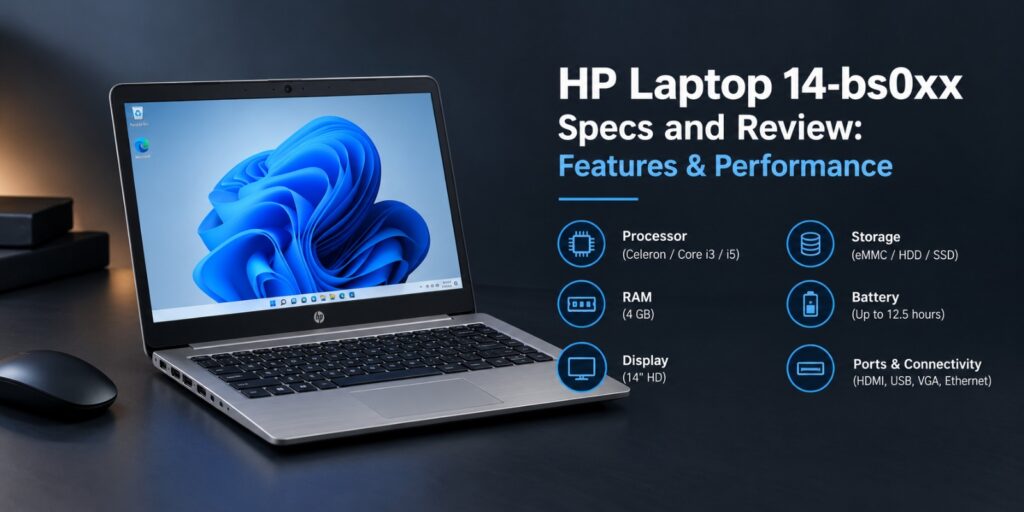
HP Laptop 14-bs0xx specs confuse many buyers, because one model name covers several different machines. The letters after the number change the processor, storage and even the operating system. This guide sorts those details into one clear picture. The HP 14-bs line is an older budget family with datasheets dating to 2017. Configurations range from Celeron models to Core i5 versions. Used and refurbished units still turn up in online listings.
Below you will find verified specs, performance notes, battery details and Windows support. You will also see which buyers should pick one and which should skip it. HP Laptop 14-bs0xx specs vary by model. Most units have a 14 inch HD screen at 1366 x 768 and 4 GB of memory. Processors range from the Intel Celeron N3060 to the Core i5-7200U. Storage runs from 64 GB eMMC to a 1 TB hard drive. Weight starts at 1.7 kg.
Key Takeaways
- The 14-bs0xx name covers many configurations, so always check the full model number.
- Common specs include a 14 inch HD screen, 4 GB of memory and a 41 Wh battery.
- Celeron versions suit light tasks, while Core i3 and i5 versions have more headroom.
- The Core i5-7200U is not on the Microsoft Windows 11 supported processor list.
- Used units make the most sense, as long as the exact model is confirmed first.
The HP Laptop 14-bs0xx is a budget 14 inch laptop family with many hardware variants. Expect a dual core Intel chip, 4 GB of RAM and an HD display. Confirm the full model number before you buy.
What Is the HP Laptop 14-bs0xx Series?
HP Laptop 14-bs0xx is a family name, not one fixed product. HP lists many models under the 14-bs prefix. Examples include the 14-bs020tu, 14-bs077nia and 14-bs091tx. The letters at the end change from model to model. HP pages show endings such as tu, tx, na and nia. Each one can bring a different processor, drive or graphics chip.
Seller listings on eBay name different processors under the same 14-bs0xx label. The label alone proves very little. Always match the full model number before you pay. HP datasheets for the family date to 2017. Icecat gives the 14-bs015ne an end of life date of 7 September 2018. That makes this an older line, best judged as a budget used buy.
HP Laptop 14-bs0xx Specs at a Glance
The table below compares three models using HP support pages. It shows how far apart the configurations sit. All values come from HP product number listings.
| Spec | 14-bs020tu | 14-bs077nia | 14-bs091tx |
|---|---|---|---|
| Processor | Celeron N3060, 1.6 GHz | Celeron N3060, 1.6 GHz | Core i3-6006U, 2 GHz |
| Memory | 4 GB DDR3L-1600 | 4 GB DDR3L-1600 | 4 GB DDR4-2133 |
| Storage | 64 GB eMMC | 500 GB, 5400 rpm | 1 TB, 5400 rpm |
| Graphics | Not listed by HP | Intel HD Graphics 400 | AMD Radeon 520, 2 GB |
| Display | 14 inch HD, 1366 x 768 | 14 inch HD, 1366 x 768 | 14 inch HD, 1366 x 768 |
| Battery | 4-cell, 41 Wh | 4-cell, 41 Wh | 4-cell, 41 Wh |
| Weight | From 1.7 kg | 1.9 kg | From 1.7 kg |
| Power adapter | 45 W | 45 W | 65 W |
| Optical drive | Not listed | DVD-Writer | DVD-Writer |
A fourth variant, the 14-bs089tu, uses a Core i5-7200U at 2.5 GHz. Icecat lists it with 4 GB DDR4 memory and a 1 TB hard drive. It also lists Windows 10 Home and a DVD drive.
Processor Options
Many 14-bs0xx models use the Intel Celeron N3060. HP lists it as a dual core chip at 1.6 GHz. It reaches 2.48 GHz in short bursts.
Step up models use the Core i3-6006U at 2 GHz. Top versions use the Core i5-7200U. Both are dual core chips from Intel.
Memory and Storage
HP lists 4 GB of memory in a single module on the models above. The Celeron units use DDR3L-1600, while the Core i3 unit uses DDR4-2133. Retail variants differ, so check your own label.
Among HP Laptop 14-bs0xx specs, storage varies more than any other part. HP lists a 64 GB eMMC drive, a 500 GB drive and a 1 TB drive. Notebookcheck lists the 14-bs002nh with a 128 GB SSD.
A 64 GB drive fills up quickly once updates and apps pile up. Buyers should plan for an external drive or pick a larger variant. This is worth checking before you buy.
Display
Every verified model uses a 14 inch HD screen at 1366 x 768. HP describes the panel as SVA with LED backlight. Notebookcheck puts the 14-bs002nh at 112 pixels per inch.
The screen finish differs between models. The 14-bs077nia has an anti-glare screen, while the 14-bs020tu and 14-bs091tx list BrightView. BrightView panels are glossy.
None of the verified HP pages list a Full HD panel. Buyers who want sharper text should look at other laptop lines.
What Ports Does the HP Laptop 14-bs0xx Have?
HP gives the body a size of 34 x 24 x 2.37 cm. Weight starts at 1.7 kg. The 14-bs077nia, which has a DVD writer, weighs 1.9 kg.
Color choices differ by model. HP lists silk gold for the 14-bs047na. Icecat lists black and silver for the 14-bs089tu.
HP lists these ports on the 14-bs077nia.
- 2 USB 3.1 Gen 1 ports for data transfer
- 1 USB 2.0 port
- 1 HDMI output
- 1 VGA output
- 1 RJ-45 Ethernet port
- 1 headphone and microphone combo jack
- 1 SD card reader
None of the listed ports is USB-C. HP also lists gigabit Ethernet on all three models. The VGA port helps with older projectors.
Wireless support varies. The 14-bs020tu and 14-bs077nia list Intel Wi-Fi with 802.11ac and Bluetooth 4.2. The 14-bs091tx lists Wi-Fi up to 802.11n with Bluetooth 4.2.
Each model has a full-size island style keyboard and dual speakers. The touchpad supports multi-touch gestures. HP also lists a webcam with a built in microphone.
How Does It Perform?
Everyday Tasks
Celeron N3060 models are built for light work. Notebookcheck reviewed the HP Stream 14, which uses the same chip. It called the chip one of the weaker processors on the market.
Even so, Notebookcheck found that laptop good enough for basic productivity and streaming media. That review covered a different HP laptop, so treat it as a guide only. Heavy multitasking is where this chip is most likely to slow down.
Core i3 and Core i5 models have more headroom. They suit office work, video calls and many browser tabs better. HP lists only 4 GB of memory on them, which can still limit multitasking.
Graphics and Light Gaming
Celeron models use Intel HD Graphics 400. HP lists it on the 14-bs077nia. Notebookcheck describes it as the integrated graphics of Braswell processors.
The 14-bs091tx adds an AMD Radeon 520 with 2 GB of dedicated memory. That gives it more graphics room than the Intel only models. It is still a budget machine and not a gaming laptop.
Celeron Versus Core Models
| Processor | Cores | Base Speed | Data Source | Best Fit |
|---|---|---|---|---|
| Celeron N3060 | 2 | 1.6 GHz | HP | Browsing, documents and video |
| Core i3-6006U | 2 | 2 GHz | HP | Office work and light multitasking |
| Core i5-7200U | 2 | 2.5 GHz | Icecat | Office work with extra headroom |
How Long Does Its Battery Last?
HP lists a 4-cell, 41 Wh lithium ion battery on all three models. The 14-bs077nia is rated up to 12 hours and 30 minutes in mixed use. Video playback is rated up to 9 hours and 30 minutes.
HP states in its 14-bs047na datasheet that battery life varies by model, configuration and use. Treat the rated figures as the best case. Older packs will hold less charge.
HP lists the battery as user replaceable on the 14-bs077nia. That helps if an older pack has worn out. The adapter is 45 W on the Celeron models and 65 W on the 14-bs091tx.
Does It Support Windows 11?
These laptops shipped with Windows 10 Home or FreeDOS, based on retailer listings. FreeDOS means no Windows license came with the unit. Check this before you buy a bare model.
Windows 11 is the harder part of the HP Laptop 14-bs0xx specs. Microsoft Learn Q&A answers state that the Core i5-7200U is not on the supported processor list. They also state that supported Intel Core chips start at the eighth generation.
The Celeron N3060 and Core i3-6006U also date from before that cutoff. Owners should check the Microsoft supported processor list for their exact chip. That list is the only reliable answer.
Microsoft set the Windows 10 end of support date at October 14, 2025. That date has already passed. Plan the software side before you buy one of these laptops.
For practical fixes on older machines, browse the guides on TechWorldGarage.
How Can You Check Which 14-bs0xx Model You Have?
Model details sit in three places. The first is the label under the laptop. The second is Windows itself, and the third is the HP support site.
- Turn the laptop over and read the product name and product number on the label.
- Open Settings, choose System, then About to see the processor and memory.
- Search the product number on the HP support site. HP lists numbers such as 1XF06PA next to model names.
- Compare the listed processor, drive and graphics with your own unit.
This check also protects buyers from loose seller labels. It takes only a few minutes. It also shows whether the drive is a small eMMC or a full hard drive.
Is the HP Laptop 14-bs0xx Worth Buying Today?
The answer depends on the price and the exact model. These are older budget laptops, so a low used price is the main appeal. Paying close to a new laptop price makes little sense.
| Buyer Need | Better Pick | Reason |
|---|---|---|
| Web, email and documents | Celeron N3060 model with a large drive | Light tasks fit the chip |
| Office work and many tabs | Core i3 or Core i5 model | More processing headroom |
| Light photo or video work | 14-bs091tx with Radeon 520 | Dedicated graphics chip |
| Windows 11 required | A newer laptop line | The Core i5-7200U is not on the supported list |
Wikipedia describes Celeron as Intel’s budget processor brand. That fits the low end of this family. The Core models sit one step above it.
HP lists full specifications for the 14-bs077nia on its official support page. That page is the best place to confirm details. Always compare it with the label on your unit.
FAQs About HP Laptop 14-bs0xx Specs
What processor does the HP Laptop 14-bs0xx use?
It depends on the model. HP lists the Celeron N3060 and the Core i3-6006U, and Icecat lists the Core i5-7200U. Check your product number to confirm.
How much RAM does the HP Laptop 14-bs0xx have?
HP lists 4 GB on the verified models. It is a single 4 GB module on those units. Retail variants can differ.
How long does the HP Laptop 14-bs0xx battery last?
HP rates the 14-bs077nia at up to 12 hours and 30 minutes of mixed use. Video playback is rated at up to 9 hours and 30 minutes. Real results vary with age and workload.
Can the HP Laptop 14-bs0xx run Windows 11 in 2026?
It depends on the chip. The Core i5-7200U is not on the Microsoft supported list, so that model is not officially supported. Check the list for other processors.
Is the HP Laptop 14-bs0xx good for gaming?
No, it is built for light tasks. The 14-bs091tx has a Radeon 520, which adds some graphics headroom. Expect only light and older games.
Final Thoughts on HP Laptop 14-bs0xx Specs
The 14-bs0xx name hides a wide spread of hardware. One unit has a Celeron and a 64 GB eMMC drive, while another has a Core i3 and a Radeon chip. The specs, not the family name, decide what you get. A good deal on a used unit works best for light daily tasks. Confirm the processor, drive and Windows license first. Then check the battery condition, since packs wear with age. For the full sheet on one model, visit the HP 14-bs020tu specification page. If the laptop feels slow after setup, the guides on TechWorldGarage cover practical fixes.