
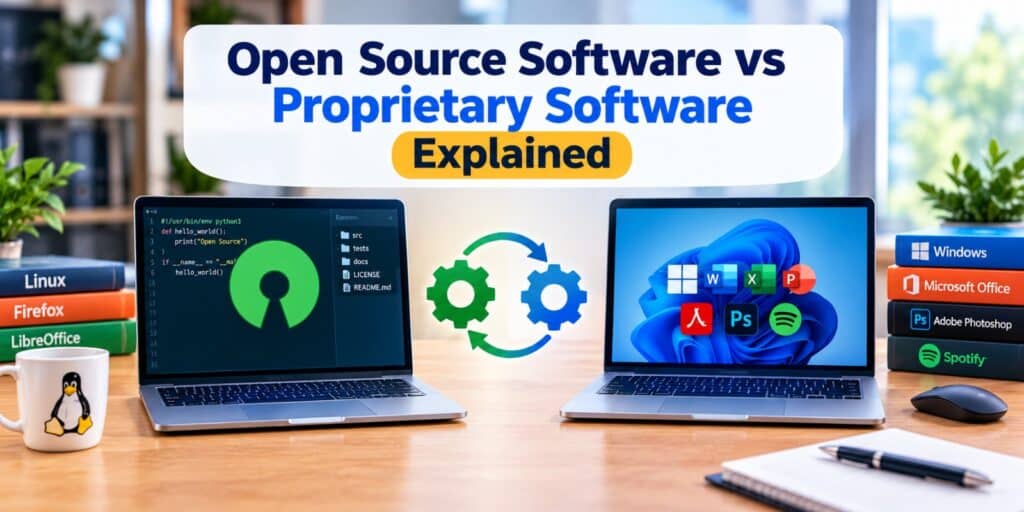
I switched my old laptop from Windows to Linux a few years back, mostly out of curiosity about what open source actually meant in practice. That single change taught me more about the Open Source Software vs Proprietary Software debate than any comparison chart ever could. Once you understand what separates the two, choosing the right tool for your computer gets a lot easier.
Open source software gives everyone access to its underlying code, so anyone can inspect, change, or share it, usually for free. Proprietary software keeps its code private and sells the finished product under a license, usually with paid support. Choose open source for flexibility and cost savings, and proprietary for polished support and guaranteed updates.
Key Takeaways
- Open source software makes its code public, so anyone can view, modify, or redistribute it.
- Proprietary software keeps its code closed and is controlled entirely by the company that built it.
- Open source options are usually free, while proprietary software often comes with a license fee or subscription.
- Proprietary software tends to offer more polished support, while open source relies more on community help.
- Neither type is automatically safer or better, the right choice depends on your budget and technical comfort.
What Is Open Source Software
Open source software is software whose underlying code is published for anyone to view. Developers around the world can inspect that code, suggest changes, or build their own version of it. Firefox, Linux, and LibreOffice are common examples most people already use without realizing it.
Because the code is public, bugs and security issues can be spotted by a wide community rather than one company alone. Most open source software is also free to download and use. The tradeoff is that support often comes from community forums instead of a dedicated help line.
What Is Proprietary Software
Proprietary software is software owned and controlled by a single company, with the code kept private. Microsoft Windows, Adobe Photoshop, and Microsoft Office are well known examples. You pay to use it, and the license usually restricts what you can do with it, such as copying or modifying the program.
Because one company controls the entire product, updates and new features arrive on a predictable schedule. Support is usually more structured, often through official help desks or paid plans. The tradeoff is less flexibility and an ongoing cost for many proprietary tools.
Open Source Software vs Proprietary Software: Key Differences
The table below compares the two across the factors that matter most for everyday users.
| Feature | Open Source Software | Proprietary Software |
| Source code | Public, anyone can view it | Private, owned by the company |
| Typical cost | Usually free | Usually paid, one time or subscription |
| Customization | High, code can be modified | Limited to built in settings |
| Support | Community driven, forums and documentation | Official support, often paid |
| Updates | Community or maintainer driven | Company controlled and scheduled |
| Common examples | Linux, Firefox, LibreOffice | Windows, macOS, Adobe Photoshop |
Cost and Licensing Differences Between Open Source and Proprietary Software
Cost is usually the first thing people notice when comparing the two. Open source software is free to download in most cases, since the license allows free use and distribution. If you have ever compared freeware, shareware, and paid software, open source sits closest to freeware, though the license terms behind it work differently.
Proprietary software usually requires a one time purchase or an ongoing subscription. That cost often includes official support, regular updates, and a polished user interface. The license also spells out exactly what you are allowed to do with the software, and copying or modifying it is usually against the rules.
Security and Updates Compared
Security depends more on how actively a program is maintained than on which category it belongs to. Open source software benefits from many developers reviewing the same code, which can catch problems quickly. It also means fixes sometimes take longer if a project has few active contributors.
Proprietary software is maintained by a dedicated team with a set release schedule. Updates tend to arrive more predictably, though users have to trust the company to patch issues promptly. Before installing any new program, our guide on how to tell if a software is safe to install applies equally to open source and proprietary downloads.
Support and Ease of Use
Proprietary software generally wins on ease of use, since companies invest heavily in polished interfaces and onboarding. Official support channels, live chat, and detailed help documentation are common with paid software. This makes proprietary tools a comfortable choice for people who are less technical.
Open source software can require more comfort with settings and troubleshooting, though this has improved a lot in recent years. Community forums and shared guides often answer common questions quickly. Some open source projects now offer paid support tiers as well, closing part of that gap.
Popular Examples of Each Type
Seeing familiar names side by side makes the difference easier to picture.
- Open source: Linux, Firefox, LibreOffice, GIMP, VLC Media Player.
- Proprietary: Windows, macOS, Microsoft Office, Adobe Photoshop, Spotify.
- Mixed models exist too, like Android, which is open source at its core but often shipped with proprietary apps layered on top.
Which One Should You Choose
Your answer usually comes down to budget, comfort level, and how much control you want over the software. If you want to save money and do not mind a learning curve, open source tools like LibreOffice or GIMP cover most everyday needs. If you would rather pay for guaranteed support and a familiar interface, proprietary software like Microsoft Office remains the simpler path.
Many people end up using a mix of both without thinking about it much. A Windows computer running Firefox as the browser is a common example of exactly that. There is no rule that says you have to pick one category and stick with it everywhere.
FAQs About Open Source and Proprietary Software
Is open source software always free?
Most open source software is free to download and use, since the license typically allows this. Some projects do charge for premium support, hosting, or extra features built on top of the free version. The core software itself almost always remains free.
Is open source software safe to use?
Open source software can be just as safe as proprietary software when it comes from a reputable, actively maintained project. Publicly visible code means more people can spot and fix security issues. Downloading only from official project websites reduces most of the risk either way.
Can a company make money from open source software?
Yes, many companies build businesses around open source software by selling support, hosting, or premium add ons. Red Hat and WordPress are well known examples of this model. The core software usually stays free even while the company earns revenue elsewhere.
Why do businesses still choose proprietary software in 2026?
Businesses often choose proprietary software in 2026 for the guaranteed support, predictable updates, and legal accountability it offers. This matters most for companies that cannot afford downtime while troubleshooting an issue themselves. Familiar training and easier hiring also play a role in that choice.
Is Android open source or proprietary?
Android’s core operating system is open source, released under the Android Open Source Project. Most phones ship with additional proprietary apps and services layered on top of that open source base. This mixed approach is common across the software industry.
Can I switch from proprietary software to open source software easily?
Switching is usually easier than people expect, especially for common tasks like browsing, word processing, or photo editing. Programs like Firefox and LibreOffice are built to feel familiar to users coming from proprietary alternatives. The biggest adjustment is usually just getting used to a slightly different menu layout.
Final Thoughts
Open source and proprietary software are not rivals so much as two different ways of solving the same problem. In my own experience, the right pick depends entirely on what you value more, control and cost, or convenience and support. Once you know which one you are actually looking for, the Open Source Software vs Proprietary Software choice stops feeling like a technical decision and starts feeling like a personal one.
If you want to read more about how the open source movement started and grew, Wikipedia’s page on open-source software is a solid next stop.
Pingback: Types of Software Program Explained in Simple Terms - Tech World Garage