
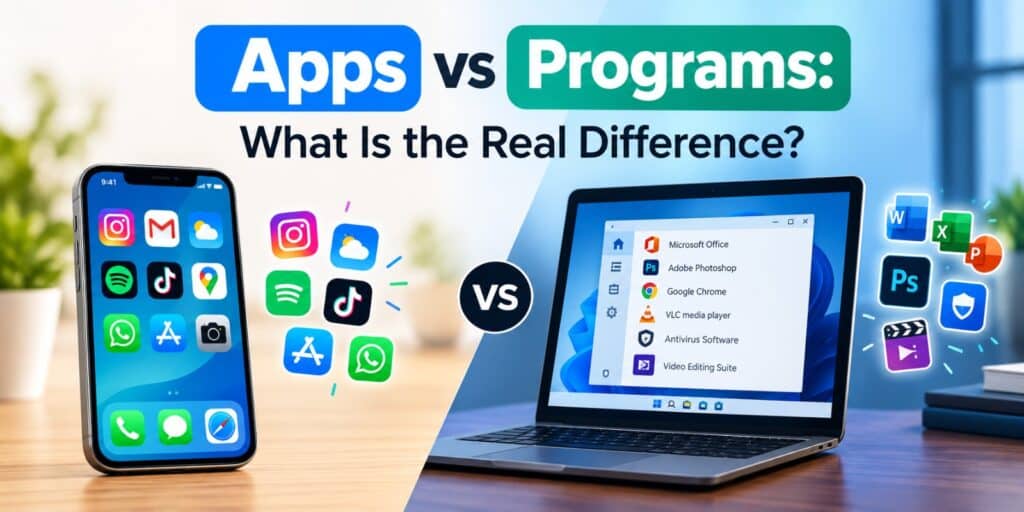
I still remember opening Control Panel on an old laptop and seeing a list called Programs and Features, then checking my phone and seeing a completely different word, apps. That mix-up is exactly why so many people search for apps vs programs every week. The short answer is that every app is a type of program, but not every program is called an app.
An app and a program both run tasks on your device, but app usually means a simple, focused tool on a phone or modern operating system, while program refers to traditional desktop software with a fuller set of features and settings.
Key Takeaways
- Every app is technically a program, but not every program is called an app.
- Apps are usually smaller, simpler, and built for one main task.
- Programs often include deeper settings and multiple functions in one package.
- Windows 11 blends both terms, using Apps in Settings and Programs in Control Panel.
- The difference matters most when you are troubleshooting or uninstalling software.
The difference between apps and programs comes down to scope and design. A program is any set of coded instructions that tells your device what to do, from a simple calculator to a full accounting suite. An app is a specific kind of program built for one clear purpose, usually with a simple interface and quick access from a home screen or start menu.
What Is a Program?
A program is a piece of software written to complete a task on your computer. It can be small, like a basic text editor, or large, like a video editing suite with dozens of tools. Programs are usually installed through a setup file and often run in the background as well as on screen.
Traditional desktop software has always been called a program. Think of Adobe Photoshop, Microsoft Excel, or an antivirus tool running quietly to scan your files. These tools were built long before the word app became common, and the term has stuck around in Windows menus and technical documentation.
This is closely tied to a topic we already covered in detail in our guide on the difference between application and software, where software is the umbrella term and a program is one working piece inside it.
What Is an App, and How Is It Different From a Program?
An app is a program designed for quick, focused use, usually on a phone, tablet, or modern operating system. The word is short for application, and it became popular once smartphones made software feel simple and instant. You tap an icon, the app opens, and it does one job well.
Apps like Instagram, a weather checker, or a calculator app all share the same idea. They are lightweight, update often, and rarely need you to dig through settings to use them. Most apps also come from a store, such as the Microsoft Store, Google Play, or the App Store.
Apps vs Programs, The Real Difference Explained
The real difference between apps and programs lies in complexity, installation method, and how much control they give the user. Programs tend to offer more depth, while apps aim for speed and simplicity. Neither term is wrong, they simply describe different points on the same spectrum of software.
Here is a side by side look at how the two typically compare on a Windows 11 device.
| Aspect | Program | App |
| Typical use | Multiple detailed tasks | One focused task |
| Installation | Setup file or installer | Store download or built in |
| Interface | Often has menus and settings | Usually simple and minimal |
| Update method | Manual or software specific | Automatic through a store |
| Common examples | Adobe Acrobat, antivirus software | Calculator, Mail, Weather |
How Windows 11 Uses the Terms App and Program
Windows 11 actually uses both words in different places, which is where the apps vs programs confusion usually starts. Open Settings and go to Apps, and you will see every installed app and traditional program listed together in one place. This list covers everything from small built in tools to large desktop software.
Open Control Panel instead, and you will find a section still called Programs and Features. This older menu focuses mainly on desktop software that needs a proper uninstaller, rather than lightweight store apps. According to Microsoft Support, both the Settings app and Control Panel can be used to remove apps and programs, though some entries only appear in one location.
Knowing this difference is useful when something will not uninstall properly, since checking both locations often solves the problem.
Common Examples of Apps and Programs
Seeing real examples side by side makes the difference between apps and programs much clearer. Below is a simple breakdown most Windows 11 users will recognize right away.
- Apps: Calculator, Mail, Weather, Photos, Clock
- Programs: Microsoft Office, Adobe Photoshop, antivirus software, CAD tools
- Blurred cases: Spotify, Zoom, and Chrome, since these run as apps on phones and as fuller desktop programs on a PC
Notice how the same tool can be called either word depending on the device it runs on. That flexibility is one reason the terms overlap so often in everyday conversation.
Why Apps and Programs Confuse Most Users
Most confusion comes from history rather than logic. Desktop computers used the word program for decades before smartphones introduced the word app to everyday users. Once phones became the main device for many people, app slowly became the default word for almost any software.
Operating systems then started blending both worlds. Windows 11 runs traditional desktop programs alongside lightweight store apps on the same screen. This overlap is completely normal, and it does not mean either term is being used incorrectly.
When Does the Difference Between Apps and Programs Matter?
The apps vs programs debate rarely causes a real problem in casual conversation. It matters more in technical situations, such as troubleshooting, uninstalling software, or following instructions from tech support. Using the exact term shown on your screen helps you find the right menu faster.
For example, if a guide tells you to check Programs and Features, searching for that exact wording in Windows 11 saves time. Mixing up the terms will not break anything, but precision helps when you are fixing a real issue.
FAQs
Is every app also a program?
Yes, every app is technically a program, since it is built from code that instructs your device to perform tasks. Not every program is called an app, especially older desktop software that predates the term.
Why does Windows call some things apps and others programs?
Windows 11 keeps both terms because it supports lightweight store apps and traditional installed software side by side. Microsoft groups everything under Apps in Settings, but Control Panel still uses the older label Programs and Features.
Do apps and programs use different amounts of storage?
Not always, since storage size depends on the software itself rather than the label used. A simple app can be a few megabytes, while a program like a video editor can take several gigabytes.
Can a program become an app?
In a sense, yes, when developers rebuild desktop software into a simplified version for phones or app stores. Many well known programs now exist as slimmed down apps designed for smaller screens.
Is there a real technical difference between apps and programs in 2026?
The core coding behind both is the same, since apps and programs are both built from executable instructions. The main difference in 2026 remains design intent, with apps favoring simplicity and programs favoring depth.
Which term should beginners use?
Beginners can safely use either word in daily conversation without causing confusion. For troubleshooting steps, it helps to match the exact term shown on the screen you are working with.
The next time someone asks you to explain apps vs programs, you can skip the jargon and just point to what each one is built for. I have spent enough time inside Windows menus to know the confusion is completely normal, and now you have a clear way to explain it yourself. For a deeper technical breakdown of how software is classified, the Wikipedia page on computer programs is a solid starting point.
Pingback: Application vs Software: What Is the Real Difference - Tech World Garage
Pingback: System Software vs Application Software: A Clear Guide - Tech World Garage
Pingback: Web App vs Desktop App vs Mobile App, Which One Do You Need - Tech World Garage