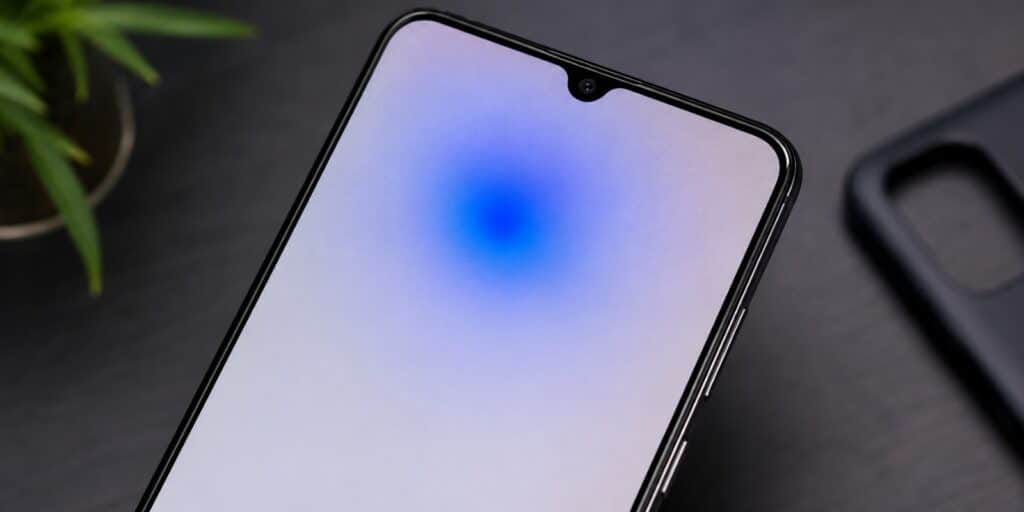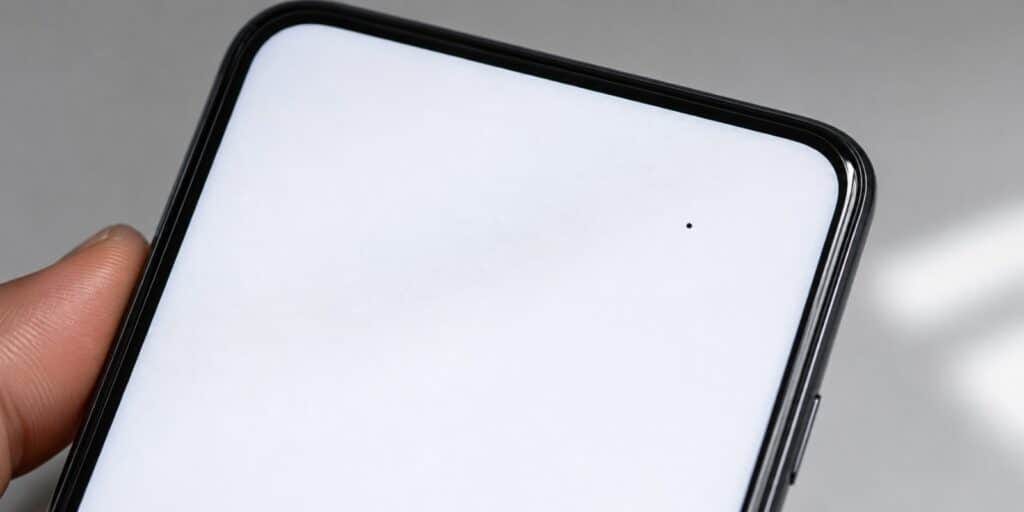
I have swapped out three phone screens over the years, and two of them had a single dark dot sitting near the edge of the display that would not go away. Dead pixels on the phone are one of the most common display complaints I hear about, and the first thing to know is that not every dark spot is the same problem.
A dead pixel on a phone Screen is a spot on the screen that stays black because it gets no power. Restarting the phone, running a pixel fixing tool, or applying light pressure can sometimes help. A true dead pixel usually needs a screen replacement.
Key Takeaways
- A dead pixel appears black because that spot on the screen receives no power at all.
- A stuck pixel shows a fixed color, usually red, green, or blue, and can often be reset.
- Software fixes work on stuck pixels far more often than on true dead pixels.
- A single dead pixel rarely qualifies for a free warranty screen replacement.
- Screen replacement is the only reliable fix once a pixel is confirmed dead.
What Is a Dead Pixel on a Phone Screen
A dead pixel is a single point on the display that no longer receives electrical signal. Because it gets no power, it shows up as a tiny black dot against any background color. Phone screens pack in millions of these points, so a single dead one is easy to miss unless it sits in the center of the screen.
Each pixel on a phone display is built from three subpixels, red, green, and blue, each controlled by its own tiny transistor. When one of those transistors fails completely, the subpixel stops lighting up. If all three fail together, the whole pixel goes dark and stays that way no matter what is on screen.
Dead Pixel vs Stuck Pixel, What Is the Difference
People often use these two terms as if they mean the same thing, but they describe different faults. A stuck pixel still gets power and shows a fixed color, while a dead pixel gets no power and shows only black. This difference matters because it changes which fix will actually work.
| Feature | Dead Pixel | Stuck Pixel |
| Appearance | Black dot, no light at all | Fixed red, green, or blue dot |
| Cause | Transistor gets no power | Transistor stuck in one position |
| Software fix chance | Low | Moderate to good |
| Common fix | Screen replacement | Pixel fixing app, gentle pressure |
| Visibility | Most visible on light backgrounds | Most visible on dark backgrounds |
What Causes Dead Pixels on Phones
Most dead pixels trace back to one of a handful of causes, and knowing which one applies to your phone helps you decide whether a fix is even possible. Manufacturing defects account for a large share of cases, especially when the pixel shows up within the first weeks of owning the phone. A weak solder point or a faulty transistor from the factory can fail early and leave a permanent dark spot.
Physical impact is another common trigger. Dropping a phone or applying sudden pressure to the screen can crack the display layer in a way that is invisible from the outside but still damages the pixel grid underneath. According to Lenovo’s support documentation, a dead pixel happens when a pixel fails to receive power or its controlling transistor stops working correctly.
Heat, moisture, and age also play a role over time. Leaving a phone in direct sunlight or a hot car can stress the display panel. Water that reaches the internal display layers can short out the delicate circuitry that drives individual pixels, and OLED and AMOLED screens can develop dead pixels from long term burn in when the same image sits on screen for extended periods.
How to Check Your Phone for Dead Pixels
Checking for dead pixels only takes a couple of minutes and does not need any special equipment. Open a plain white image or a blank note app and look closely across the entire screen. Then repeat the same check with a plain black image, since stuck pixels show up more clearly on dark backgrounds while dead pixels stand out more on light ones.
A short self contained way to test is this. Display solid red, then solid green, then solid blue, then black, then white, full screen, one at a time, and scan the panel for any dot that never matches the rest of the screen.
How to Fix Dead Pixels on Your Phone
Before assuming the worst, it is worth trying a few safe steps, since some dark spots turn out to be stuck pixels rather than dead ones. None of these carry any real risk to the phone, so they are worth ten minutes of your time.
- Restart the phone completely, since a display glitch can sometimes mimic a dead pixel.
- Update the phone software, as outdated display drivers occasionally cause pixel rendering issues.
- Run a pixel fixing app or website that flashes rapid color changes over the affected spot.
- Play a fast moving, high contrast video full screen for ten to fifteen minutes.
- Apply very light, even pressure to the exact spot with a soft microfiber cloth, then release.
- Adjust the screen timeout and reduce static images to rule out temporary burn in.
- If none of this helps, book a screen inspection with the manufacturer or a trusted repair shop.
Can a Dead Pixel Be Fixed for Good
A true dead pixel, one that stays completely black under every color test, usually cannot be repaired through software. The transistor behind that subpixel has failed, and no app or massage technique restores power to a dead transistor. This is different from a stuck pixel, which still has power flowing to it and can often be reset.
If a pixel fixing app or gentle pressure does not change the spot after several attempts, treat it as dead rather than stuck. At that point, screen replacement is the only fix that actually restores a fully working display.
Is a Dead Pixel Covered Under Warranty
Coverage depends heavily on the manufacturer and how many affected pixels are present. According to Apple’s official support documentation on LCD pixel anomalies, panels can occasionally leave the factory with a small number of dead or stuck subpixels, and Apple evaluates each device individually rather than publishing a fixed pixel count for phones. Other manufacturers, including some laptop and monitor makers, do publish a minimum threshold, often requiring several dead pixels clustered together before a warranty claim is approved.
A single, isolated dead pixel on a brand new phone is still worth reporting to the manufacturer or retailer. Support staff can confirm whether the panel qualifies for a free repair, and many companies extend courtesy replacements even outside a strict written policy. Keep the original receipt and any purchase confirmation, since proof of purchase date is usually required for a warranty claim.
How to Prevent Dead Pixels From Spreading
A phone with one dead pixel does not need to end up with several more, and a few habits reduce that risk. Avoid leaving the same bright image on screen for long stretches, especially at high brightness on OLED and AMOLED displays. Keep the phone out of direct sunlight and hot cars, since sustained heat stresses the display panel over time.
Use a quality charger and avoid cheap, uncertified cables, since unstable power delivery can affect internal components including the display driver. A screen protector will not stop a dead pixel caused by a manufacturing defect, but it does reduce the chance of impact damage that can create new ones.
DIY Screen Replacement vs Professional Repair
Once you confirm the pixel is truly dead, you still have a choice about how to fix it. DIY replacement kits are sold for many popular phone models and usually include a new screen, adhesive strips, and basic tools. This route is cheaper, but it carries real risk if you are not comfortable working with small connectors and adhesive seals.
A professional repair costs more, but a trained technician can spot related issues, such as a damaged display cable, that a beginner might miss. Manufacturer repair centers also use parts matched to the original display, which matters for color accuracy and touch response. For phones still under warranty, going through the manufacturer is almost always the safer choice, since a DIY repair can void remaining coverage.
If your phone is older and out of warranty, a local independent repair shop is often the fastest and most affordable option. Ask whether they use original equipment parts or aftermarket panels, since aftermarket screens sometimes have their own pixel quality issues. Getting two or three quotes before committing helps you avoid overpaying for a routine screen swap.
Dead Pixels on Different Phone Brands
Pixel policies are not identical across manufacturers, and knowing your brand’s approach can save time before you contact support. Apple assesses pixel anomalies on a case by case basis rather than publishing a fixed number for phones, based on its own support documentation. Samsung and several other Android makers have historically used cluster based thresholds, often requiring multiple dead pixels grouped closely together before a free repair is approved.
Budget phone brands vary the most, since some skip a formal pixel policy altogether and instead rely on general manufacturing defect coverage. If your phone came from a smaller or lesser known brand, check the printed warranty card or the manufacturer’s website directly rather than assuming standard terms apply. When in doubt, contact support and describe exactly what you see, including how many spots are visible and where they sit on the screen.
FAQs
Can a dead pixel go away on its own?
A true dead pixel almost never resolves on its own since the transistor behind it has failed completely. A stuck pixel, which still receives power, sometimes clears up without any intervention.
Is a dead pixel covered under phone warranty in 2026?
Coverage still depends on the manufacturer and how many pixels are affected. Most brands evaluate single dead pixels case by case rather than guaranteeing automatic replacement.
How much does it cost to fix a dead pixel on a phone?
Out of warranty screen replacement typically costs between 100 and 400 dollars depending on the phone model and repair provider. Getting a quote from both the manufacturer and a local repair shop helps you compare.
What is the difference between a dead pixel and a stuck pixel?
A dead pixel shows solid black because it receives no power at all. A stuck pixel shows a fixed color because its transistor is frozen in one position while still receiving power.
Can pressing on a dead pixel fix it?
Light, even pressure sometimes helps stuck pixels reconnect, but it rarely does anything for a truly dead one. Pressing too hard can damage the screen further, so keep any pressure gentle.
How do I check my phone for dead pixels?
Display solid red, green, blue, black, and white images full screen and look for any dot that does not match. This takes only a few minutes and needs no extra tools.
A dead pixel is annoying, but it rarely means your phone is failing overall. I have kept using phones with a single dead pixel tucked near the bezel for months without any other issue appearing. Test the screen properly first, try the safe software fixes, and only move to a screen replacement once you are confident the spot is truly dead rather than stuck.
For a deeper technical breakdown of how pixel anomalies form on display panels, see Apple’s official page on LCD display pixel anomalies. You can also read more about the general display fault on the dead pixel Wikipedia page.
Read More: Is Boost Mobile Good? An Honest Review