I have covered home internet and mobile plans for years. My broadband still drops during bad weather sometimes. A mobile hotspot is what saves my work day whenever that happens.
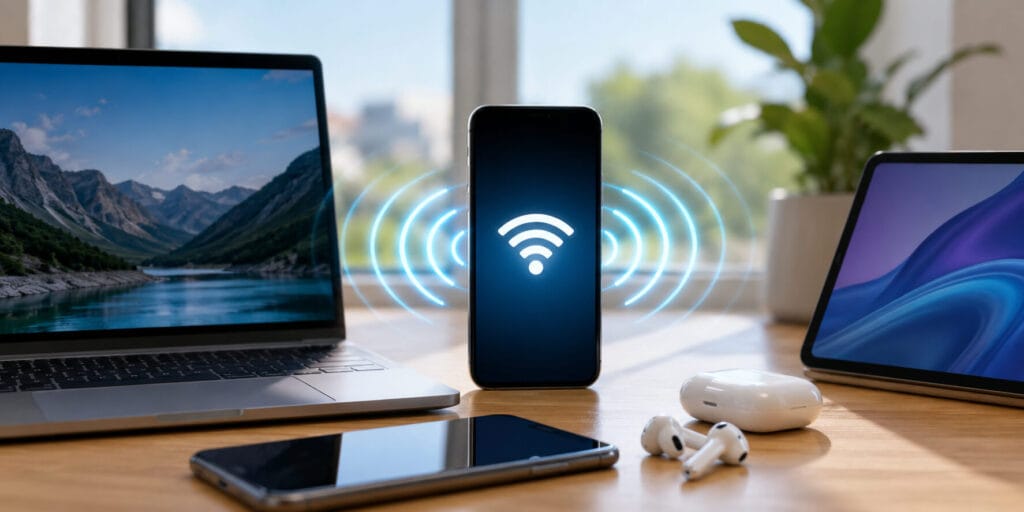
A mobile hotspot is a feature that turns a phone’s cellular data into a private Wi-Fi signal. Other devices, such as laptops or tablets, can then join that signal and go online. It works anywhere there is cellular coverage, without a cable, a router or a public Wi-Fi network.
Key Takeaways
- A mobile hotspot shares a phone’s cellular data as Wi-Fi for other devices.
- Most modern smartphones already have a built in hotspot feature.
- Hotspot speed depends on your carrier’s 4G or 5G signal strength.
- Using a hotspot drains phone battery and data faster than normal browsing.
- A password protected hotspot is safer than open public Wi-Fi.
Quick Answer A mobile hotspot lets you share your phone’s cellular data with other devices over Wi-Fi. Turn it on from your phone settings, then connect a laptop or tablet using the network name and password shown there.
What Is A Mobile Hotspot
A mobile hotspot works like a small, portable Wi-Fi router. Instead of a wired broadband line, it uses your phone’s own cellular data. Any nearby device can then join that Wi-Fi signal.
According to Verizon, a hotspot is a place where people get online wirelessly using a mobile device. A mobile hotspot brings that same idea with you wherever you travel. It works through your phone’s regular 4G or 5G connection.
This is different from a fixed Wi-Fi hotspot at a cafe or airport. A fixed hotspot is tied to one building and one router. A mobile hotspot moves with your phone, so it works almost anywhere you get signal.
Many people first meet this feature through their phone plan’s monthly allowance. Carriers often list a set amount of hotspot data separate from regular data. Checking this limit before a long trip avoids surprise charges later.
How Does A Mobile Hotspot Work
A mobile hotspot connects your phone to a cellular tower first. It then rebroadcasts that connection as its own small Wi-Fi network. The steps happen in this order.
- Your phone connects to the carrier’s cellular network, the same way it does for calls.
- The phone turns that cellular signal into a Wi-Fi broadcast.
- Nearby devices search for and select this new Wi-Fi network.
- Your phone shares its mobile data with every device that joins.
According to EarthLink, 5G hotspots can reach 100 to 900 megabits per second under good conditions. Older 4G LTE hotspots usually run between 10 and 50 megabits per second. Real speed still depends on your signal strength and network congestion.
Your phone essentially does two jobs at once during this process. It talks to the cell tower on one side. It talks to your other devices on the other side, at the same time.
Mobile Hotspot vs Wi-Fi vs Tethering
People often mix up hotspot, Wi-Fi and tethering. Each term means something slightly different in practice. The table below breaks the difference down clearly.
| Term | What It Means | Typical Use |
| Wi-Fi | A wireless signal from a home or office router | Fixed internet at home, work or a cafe |
| Mobile hotspot | A Wi-Fi signal created from a phone’s cellular data | Getting online while travelling or during an outage |
| Tethering | Sharing one phone’s data with a single device, often by cable | Connecting one laptop directly to a phone |
Wi-Fi is the connection type your devices use to talk to each other. A mobile hotspot is simply one way to create that Wi-Fi signal. Tethering is often the older, single device version of the same idea.
Some carriers still use tethering and hotspot as separate billing terms. Tethering may refer only to a single wired connection in that case. Hotspot usually covers wireless sharing to multiple devices at once.
Types Of Mobile Hotspots
Most people rely on their smartphone’s built in hotspot feature. It needs no extra hardware and works through the phone’s existing SIM. This is the most common option for casual, occasional use.
The downside is battery drain, since phones were not built as full time routers. A phone hotspot also competes with your own calls and notifications for signal. Heavy daily use can wear down a smartphone battery faster over time.
A dedicated hotspot device, sometimes called a MiFi, is a small standalone gadget. It holds its own SIM card and battery, separate from your phone. Frequent travellers and remote workers often prefer this option for longer battery life.
A dedicated device also frees up your phone entirely for calls and apps. It usually costs extra each month on top of a normal phone plan. For occasional use, a phone’s built in hotspot is often the simpler choice.
How To Turn On A Mobile Hotspot
Turning on a hotspot only takes a few taps on most phones. The exact menu names differ slightly between iPhone and Android devices.
On an iPhone:
- Open Settings, then tap Cellular.
- Select Personal Hotspot and switch it on.
- Check or set your Wi-Fi password under the same screen.
On an Android phone:
- Open Settings, then tap Network and Internet.
- Tap Hotspot and Tethering.
- Turn on Wi-Fi Hotspot and confirm your password.
Once it is on, search for the phone’s network name on the other device. Enter the password shown on your phone. The device should connect within a few seconds.
If a device does not see the network, restarting both devices often fixes this. Moving them closer together also helps on the first connection attempt.
Benefits Of Using A Mobile Hotspot
A mobile hotspot keeps you online during broadband outages without any extra equipment. It also gives remote workers a reliable option in coffee shops, airports or hotels. Many people prefer it over public Wi-Fi for handling work logins or banking apps.
It also suits short term needs well, such as a house move or a temporary office setup. There is no installation wait and no engineer visit required. You simply switch it on and connect.
Students, freelancers and small business owners often use hotspots as a full time backup plan. Anyone whose broadband is unreliable can benefit from having this option ready. It costs nothing extra to try, if hotspot data is already part of your plan.
Mobile Hotspot Data, Battery And Speed
Hotspot use pulls from your regular mobile data allowance, unless your plan states otherwise. Many carriers cap hotspot data lower than regular phone data. Some plans slow your speed once that separate cap is reached.
Running a hotspot for hours will drain your phone battery faster than normal use. Keeping the phone plugged in during long sessions helps avoid sudden shutdowns. Limiting the number of connected devices also eases the strain on both battery and data.
Speed depends on more than just your data plan. Signal strength, distance from the nearest tower and network congestion all play a part. Thick walls or being underground can weaken the signal noticeably.
The number of connected devices also affects speed for everyone sharing that hotspot. A single laptop streaming video will use far more bandwidth than a phone checking messages. Spreading heavy tasks across fewer devices keeps the connection steadier for all users.
Is A Mobile Hotspot Secure
A mobile hotspot with a strong password is generally safer than open public Wi-Fi. Public networks are shared spaces where traffic can sometimes be intercepted by others nearby. Your own hotspot is a private connection that only you control.
Most phones now use WPA2 or WPA3 encryption by default for hotspot connections. Still, avoid using the default password shown on first setup. A custom, harder to guess password keeps the connection meaningfully safer.
It also helps to turn the hotspot off once you finish using it. Leaving it running constantly makes your phone more visible to nearby devices. Switching it off when idle is a simple, low effort habit.
Common Mobile Hotspot Problems And Quick Fixes
A hotspot that will not connect is usually a signal or settings issue, not a broken phone. A few quick checks solve most cases.
- No signal showing: move near a window or outside, away from thick walls.
- Device won’t find the network: restart both the phone and the connecting device.
- Connection drops often: check if too many devices are sharing the same hotspot.
- Slow speeds: confirm you have not reached your carrier’s hotspot data cap.
Most connection problems clear up within a minute or two of basic troubleshooting. A full phone restart resolves the rest in nearly every remaining case.
Conclusion
I have relied on a phone hotspot through flight delays and broadband outages alike. It rarely lets me down when I actually need it.
A mobile hotspot will not replace home broadband for daily streaming and heavy downloads. It remains one of the simplest backups nearly every phone owner already carries. Understanding how it works, and its data and battery limits, helps you use it well. For a wider technical view of this technology, Wikipedia’s page on wireless hotspots covers the broader networking side of it.
FAQs
Does a mobile hotspot use more data than normal browsing?
A hotspot itself adds no extra data charge on its own. Connected laptops often load heavier pages than a phone, so total usage tends to rise.
Can I use a mobile hotspot without a SIM card?
No, a phone needs an active SIM and a data plan to create a hotspot. The whole feature depends on that underlying cellular connection.
Why does my mobile hotspot keep disconnecting?
Weak cellular signal, too many connected devices, or battery saving settings usually cause this. Moving closer to a window or reducing connected devices often helps.
Is mobile hotspot data free with every phone plan?
Not always, since some carriers include a set amount while others charge separately. As of 2026, many plans still cap hotspot data lower than regular data.
Can I use a mobile hotspot on an airplane?
Usually not, since phones must stay in airplane mode during most flights. Some airlines instead offer their own onboard Wi-Fi service for passengers.
What is the difference between a hotspot and a MiFi device?
A MiFi is a small standalone hotspot device, separate from your phone. It usually holds its own SIM and often lasts longer on battery than a phone hotspot.