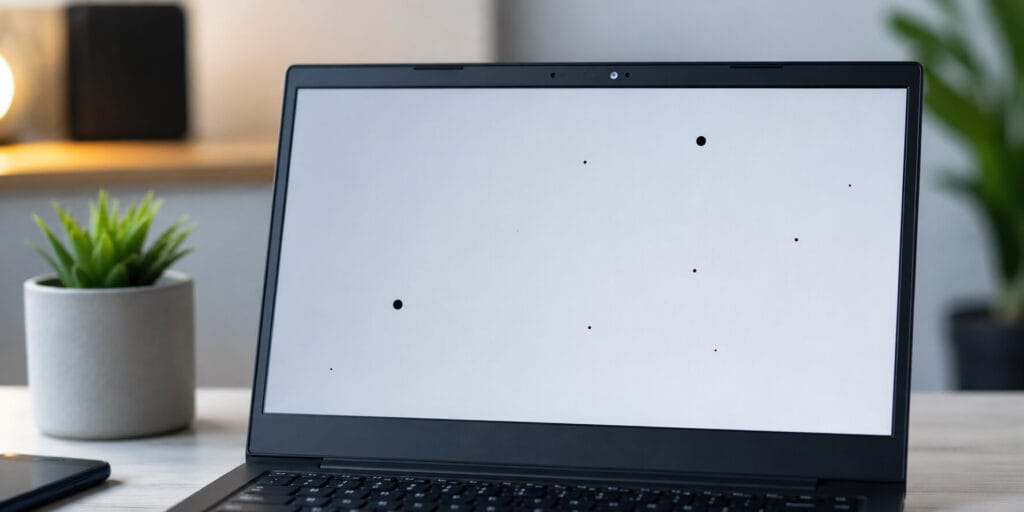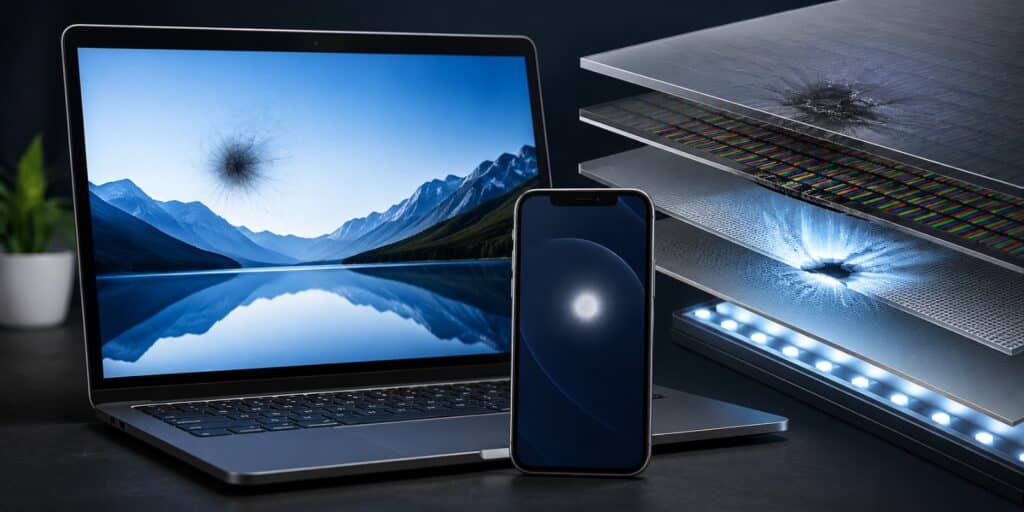
LCD spot damage is a patch on your screen that stays dark, bright, or discolored no matter what you display. It usually comes from physical pressure, a cracked internal layer, or a backlight fault. Most spot damage cannot be repaired at home, and a damaged panel almost always needs professional replacement.
LCD spot damage happens when pressure, impact, or a component failure disrupts the layers inside a liquid crystal display. The result is a fixed dark or bright patch that does not move or fade. In most cases, the fix is a full panel swap rather than a software or cleaning trick.
Key Takeaways
- LCD spot damage is almost always physical, not a software glitch.
- Pressure marks, dead pixels, and backlight spots look similar but have different causes.
- A simple background test helps you tell them apart in under a minute.
- Most true spot damage needs a panel replacement, not a home remedy.
- Screen protectors and careful handling prevent most pressure related spot damage.
What Is LCD Spot Damage
LCD spot damage is any fixed mark on a liquid crystal display that will not disappear. It can look dark, bright, cloudy, or discolored depending on the cause. Unlike dust or smudges, the mark stays in place after cleaning and across every app or wallpaper.
This differs from a temporary glitch caused by a loose cable or outdated driver. A true spot is physical. Something inside the panel, usually the backlight layer, the liquid crystal cell, or a transistor, has been damaged or has failed.
Spot damage can appear on phones, tablets, laptops, monitors, and TVs. The mechanism is the same across devices because they all use similar LCD layer structures. Only the repair cost and process change based on device type.
What Causes LCD Spot Damage
Three main sources account for almost every case of LCD spot damage. Understanding which one applies helps you judge whether the device is still under warranty and whether repair is worth the cost.
Physical pressure. Sitting on a tablet, closing a laptop on an object, or pressing hard while cleaning can crush the internal layers. The backlight diffuser and light guide plate are especially sensitive to uneven force. Once compressed, they usually cannot return to their original shape.
Impact damage. Drops and hard knocks can crack internal layers even when the outer glass looks fine. The shock travels through the panel and can misalign the liquid crystal cell gap. Spots from impact sometimes appear days after the actual drop.
Manufacturing and age related faults. Some panels develop spots with no physical trigger at all. A weak transistor connection or an early panel defect can worsen slowly under normal heat and use. These cases are more likely to be covered under warranty.
Types of LCD Spot Damage
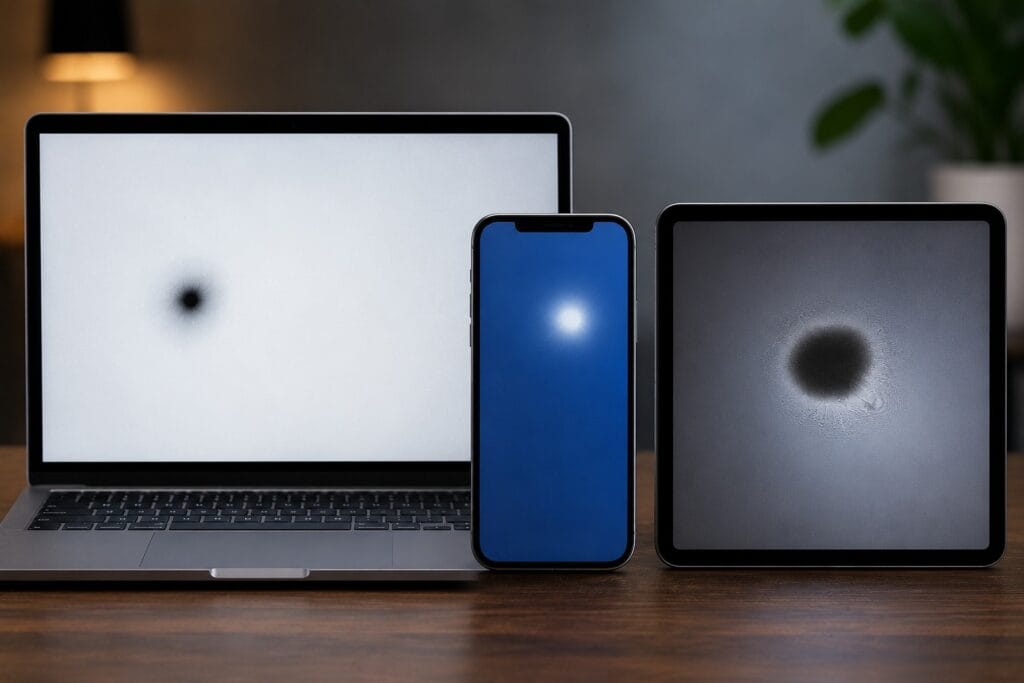
Not every spot is the same, and the type usually points to the cause. Bright spots come from backlight or diffuser damage. Dark spots come from blocked light or failed pixels. Pressure marks are a distinct visual pattern caused by force.
| Spot Type | Typical Appearance | Common Cause | Usually Fixable |
| Bright spot | Glowing patch, worse on dark backgrounds | Compressed backlight diffuser or light guide | Rarely, needs panel replacement |
| Dark spot | Shadowy patch, visible on all backgrounds | Failed pixel or blocked light path | Rarely, needs panel replacement |
| Pressure mark | Irregular bright or dark patch, often oval | Direct force or sustained weight on screen | Rarely, sometimes fades if very fresh |
| Dead pixel | Tiny black dot, visible on all backgrounds | Complete pixel failure | No |
| Mura or cloudy patch | Faint hazy area, uneven brightness | Manufacturing uniformity issue | No |
If you are unsure which type you are looking at, a simple background test usually settles it within a minute.
How to Diagnose LCD Spot Damage
Testing your screen properly stops you from guessing or paying for the wrong repair. The process takes only a few minutes and needs no special tools.
- Display a solid white background and check where the spot sits.
- Switch to a solid black background and note if it stays visible.
- Try solid red, green, and blue backgrounds to see if the spot shifts.
- Gently clean the screen first to rule out dust or smudges.
- Compare the spot’s size and position over a few days.
If the mark stays the same size and shape across every background, it is almost certainly internal spot damage rather than a surface issue. If it spreads or multiplies, this points to ongoing internal damage that is likely to get worse.
Can LCD Spot Damage Be Fixed
For most LCD spot damage, the honest answer is no, not without professional repair. Once the backlight diffuser is crushed or the liquid crystal cell gap is deformed, the layers cannot be pushed back into shape. Panel replacement is the only reliable fix.
There is one narrow exception. If a pressure mark is very fresh and mild, removing the source of pressure and leaving the device off for a day or two sometimes lets the liquid crystal partially settle. This does not work for cracked layers, dead pixels, or older marks.
Home remedies you may see online, including screen massage, heat from a hairdryer, or pressing with a stylus, carry real risk. These methods can spread the damage or crack the panel further. A certified technician should assess anything beyond a very mild, fresh mark.
Repair costs vary by device type and panel size, generally running from under a hundred dollars for small phone panels to several hundred for larger tablet, laptop, or monitor panels. If your device is still under warranty and the spot has no obvious cause like a drop, it is worth checking coverage before paying out of pocket.
How to Prevent LCD Spot Damage
Prevention is far cheaper than repair, and most spot damage traces back to a handful of avoidable habits.
- Use a rigid case or padded sleeve for tablets and laptops.
- Check your laptop keyboard for debris before closing the lid.
- Never place heavy objects on top of a closed device.
- Clean screens with a soft microfiber cloth, using light pressure only.
- Avoid storing devices in tight bags without a dedicated protective pocket.
- Keep devices away from extreme heat and direct sunlight.
A tempered glass screen protector also helps absorb impact energy on phones and tablets. It will not stop every pressure event, but it meaningfully lowers the risk from everyday bumps and drops.
When to Replace the Device Instead of Repairing It
Sometimes the smarter move is a new device rather than a repair. If the quoted repair cost is close to half the price of a comparable new device, replacement is usually the better value, especially on older hardware. This is particularly true for monitors and budget laptops where panels are a large share of the total cost.
Age also matters beyond the spot itself. A panel old enough to develop age related spot damage may have other components nearing the end of their life too. In that case, paying for a single repair may just delay a second one.
FAQs
Can LCD spot damage be fixed without replacing the panel?
In most cases, no. Once the backlight or liquid crystal layer is physically deformed, only a panel replacement restores normal display quality. A very fresh, mild pressure mark is the rare exception.
What is the difference between LCD spot damage and a dead pixel?
A dead pixel is a single point of failure that looks like a tiny black dot. LCD spot damage covers a broader range of larger patches, including pressure marks, bright spots, and dark spots caused by layer damage.
Does LCD spot damage spread over time?
It can, especially after impact damage that cracks internal layers. If a spot grows or new spots appear nearby, this usually signals ongoing internal damage rather than a stable, one time defect.
Is LCD spot damage covered under warranty?
It depends on the cause. Spots from a drop or user applied pressure are typically not covered, while spots from a manufacturing defect often are, as of 2026 most major manufacturers still separate these cases in their warranty terms.
How much does it cost to fix LCD spot damage?
Cost depends heavily on device type and panel size, ranging from under a hundred dollars for a small phone panel to several hundred for a larger laptop, tablet, or monitor panel.
Can pressing on the screen make LCD spot damage worse?
Yes. Massaging or pressing on a damaged area can spread internal cracks or push the crushed layers further out of alignment, often making the mark larger or more visible.
Conclusion
LCD spot damage is almost always a physical issue inside the display, not something a software fix can solve. Testing with different colored backgrounds is the fastest way to confirm what you are dealing with. In my experience covering display defects, the devices that avoid spot damage longest are the ones handled with a case, a light touch when cleaning, and a clean keyboard before the lid closes. When a spot does appear, an honest look at repair cost against replacement value will usually point you to the right next step. For deeper technical background on how these panels are built, the Wikipedia entry on liquid-crystal displays is a solid starting point, and Apple’s own guide on LCD pixel anomalies is a useful reference for how one major manufacturer defines and handles these defects.
Read More: Blue Patch on Mobile Screen: How to Fix It?