
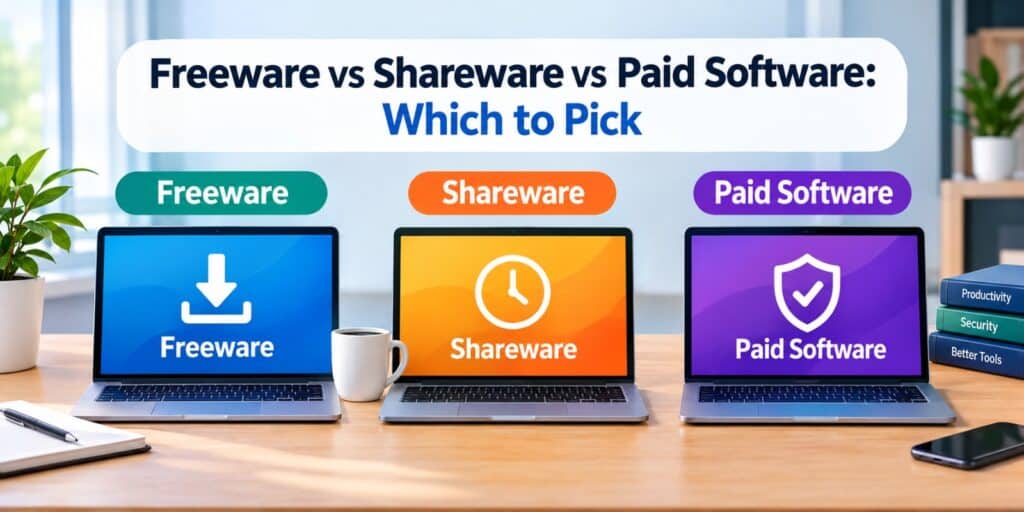
I have installed hundreds of programs while testing tools for this site. Free ones and paid ones alike. Almost every download page throws around terms like free trial, limited version, or premium license. Understanding freeware vs shareware vs paid software clears up that confusion fast.
Each type comes with its own rules, limits, and hidden costs. Picking the wrong one can mean lost work, nagging pop ups, or a program that stops working mid project. This guide breaks down the real differences and helps you choose with confidence.
Freeware is free to use forever, but the developer keeps ownership and may limit updates. Shareware offers a free trial before asking for payment to keep using it. Paid software requires an upfront purchase or subscription for full access from day one. The right choice depends on your budget and how long you need the tool.
Freeware vs Shareware vs Paid Software: Quick Answer
Freeware costs nothing and has no time limit, but features or support may be limited. Shareware is free for a trial period, then requires payment to continue. Paid software costs money upfront but usually offers full features and dedicated support right away.
Key Takeaways
- Freeware is free forever, but updates and support depend on the developer.
- Shareware gives a limited trial before it asks for payment.
- Paid software costs money upfront but typically includes full features and support.
- Free tools carry more security risk if downloaded from unofficial sites.
- Your choice should match how long you need the software and your budget.
What Is Freeware and How Does It Work?
Freeware is software you can download and use at no cost, with no expiration date. The developer keeps ownership of the code and decides how it gets updated. Many freeware tools survive on donations, ads, or a paid version of the same brand.
According to Britannica, freeware provides full access to its base features without payment. Usage still depends on the license terms the developer sets. Some freeware never asks for anything in return, while others show occasional upgrade prompts.
Common Examples of Freeware
Popular freeware includes communication apps, media players, and basic photo editors. Many antivirus companies also offer a free tier as freeware to attract new users. If you are unsure how safe a download really is, our guide on how to tell if a software is safe to install walks through the checks worth running first.
What Is Shareware and How Is It Different From Freeware?
Shareware lets you try software for free before deciding to buy it. The trial usually lasts a set number of days, often between 10 and 30. Once that period ends, you either pay or lose access to some features.
This model works well for testing a tool before spending money. Shareware sometimes adds a delay or a nag screen reminding users to pay, according to Wikipedia. The key difference is that shareware plans for a future payment, while freeware does not.
When Shareware Makes Sense
Shareware suits software you plan to use long term but want to test first. Video editors, PDF tools, and utility software often follow this model. If you rely on a tool daily, buying the full version usually pays off.
What Is Paid Software and What Do You Get for the Price?
Paid software requires payment before or during use, either as a one time purchase or a subscription. You typically get full features from the first day, along with customer support. If the line between paid software and a simple app still feels blurry, our piece on application vs software breaks it down further.
Businesses and professionals often prefer paid software for reliability and accountability. If something breaks, there is a company you can contact for help. This level of support rarely comes with free alternatives.
One Time Purchase Versus Subscription
Some paid software charges once and lets you use it indefinitely. Other programs run on a subscription, billing monthly or yearly for continued access. Subscription models often include ongoing updates, while one time purchases may need a paid upgrade later.
Freeware vs Shareware vs Paid Software Side by Side
The table below lays out the core differences at a glance. Use it to compare cost, time limits, and support across all three models.
| Aspect | Freeware | Shareware | Paid Software |
| Cost | Free forever | Free trial then paid | Paid upfront or subscription |
| Time limit | None | Set trial period | None after purchase |
| Features | Often full or capped | Full or limited during trial | Full from day one |
| Support | Rare, community based | Limited during trial | Included with purchase |
| Updates | Depends on developer | Continues after payment | Usually included |
| Best for | Casual, occasional use | Testing before buying | Long term or professional use |
Freeware vs Shareware vs Paid Software: Which One Should You Choose?
The right pick depends on how often you will use the software and your budget. A casual user who needs a tool once in a while may not need to pay at all. Someone who relies on a program daily should think about long term reliability.
- List how often you expect to use the software each week.
- Check if the free or trial version covers the features you actually need.
- Look up the developer’s reputation and read recent user reviews.
- Compare the shareware trial length against how long testing takes.
- Decide if paid support and regular updates matter for your work.
For Home and Casual Users
Freeware is usually enough for basic tasks like media playback or note taking. You save money and avoid subscriptions for tools used occasionally. Just confirm the developer is active and the software still gets security updates.
For Work and Long Term Projects
Paid software or a fully licensed shareware tool tends to work better here. Reliable support and consistent updates matter more when income depends on the tool. The upfront cost usually pays off through fewer interruptions.
Safety Tips Before You Download Free or Trial Software
Free downloads carry more risk than paid ones, mainly because of where they come from. Scammers sometimes hide malware inside fake trial installers for popular programs. Sticking to official developer sites lowers this risk significantly.
- Download only from the developer’s official website or a trusted app store.
- Choose the custom install option to skip bundled toolbars or extra programs.
- Scan new downloads with your antivirus before opening them.
- Read recent reviews to check if other users reported issues.
Other Software Licensing Terms You Might Come Across
A few related terms show up often alongside freeware and shareware. Knowing them helps you understand software listings and download pages faster, along with the broader types of software programs you will run into.
Donationware is fully functional software that asks for an optional donation. Nagware works normally but shows frequent reminders to pay or register. Freemium software gives basic features free while charging for advanced tools, a model common in mobile apps.
Final Thoughts on Freeware vs Shareware vs Paid Software
After testing all three models across different projects, I lean toward matching the tool to the task rather than the price tag. Freeware handles quick, occasional needs without any commitment. Shareware works well when you want to test before committing money.
Paid software earns its cost when a program becomes part of your daily routine. The real decision is not which type is best, but which one fits how you work. For more background, see the Britannica entry on freeware, and for a wider look at the topic.
FAQs
Is freeware completely free forever?
Yes, freeware remains free with no expiration date once you download it. The developer keeps ownership and can change future versions to a paid model. Always check the current license before installing an older freeware version.
Can shareware be used without paying?
Shareware works fully or partially during a trial period, usually 10 to 30 days. After that, most programs require payment to keep using them. Some shareware locks a few features but keeps others usable for free.
Is paid software safer than free software?
Paid software is not automatically safer, but it usually comes from established developers with accountability. Free downloads carry higher risk mainly because of where they get downloaded from. Sticking to official sites reduces risk either way.
What is the best software licensing model to choose in 2026?
In 2026, most everyday users mix all three models depending on the task. Freeware covers simple daily tools, shareware helps test niche software, and paid tools handle work that depends on reliability. There is no single best model for every situation.
Does freeware include viruses more often than paid software?
Freeware itself is not more likely to contain viruses than other software. The risk comes from downloading through unofficial third party sites instead of the developer’s page. Verifying the source matters more than the pricing model.
Can shareware turn into freeware later?
Yes, some developers convert shareware into freeware once a program is no longer actively sold. This sometimes happens with older utility tools and games. Always check the current license terms rather than assuming based on the program’s age.
Pingback: Open Source Software vs Proprietary Software Explained - Tech World Garage