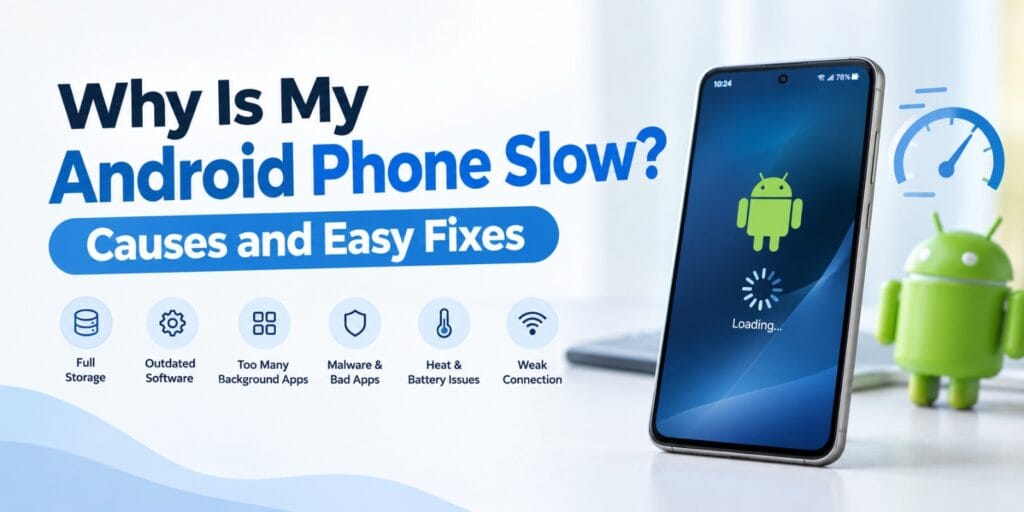
People often wonder why is my Android phone slow. The cause is rarely a dead processor. Usually it is full storage, old software or one bad app.
I have seen these same problems on phones from many brands. A slow phone feels broken, but most fixes cost nothing. This guide covers each common cause and the matching fix.
An Android phone runs slow when storage is almost full. Outdated software and too many background apps also slow it down. Malware, heat, a weak battery and old hardware cause slowdowns too. Restarting, updating, freeing space and removing bad apps fixes most cases.
Quick Answer
Restart the phone first. Then check that more than 10% of storage is free. Install pending updates and remove apps you do not use. If the phone is still slow, test it in safe mode.
Key Takeaways
- Google says phones can start having problems when less than 10% of storage is free.
- Restarting and installing system and app updates fixes many slowdowns.
- Safe mode shows whether a downloaded app is causing the lag.
- Heat, a worn battery and a weak connection can feel like a slow phone.
- A factory reset is the last step and erases all data, so back up first.
Why Is My Android Phone Slow? The Main Causes at a Glance
There is rarely one single reason a phone slows down. Several small problems usually pile up over time. The table below links each cause to what you notice.
| Cause | What you notice | Best first fix |
| Full storage | Slow gallery, failed updates, general lag | Delete unused files and apps |
| Outdated software | Bugs, app crashes, slow menus | Install system and app updates |
| Too many background apps | Lag after opening several apps | Uninstall or restrict heavy apps |
| Malware or a bad app | Sudden slowdown after an install | Test the phone in safe mode |
| Heat and battery problems | Slow while charging or in the sun | Cool the phone and use the right charger |
| Weak connection | Pages and videos load slowly | Check Wi-Fi or mobile data |
| Old or damaged hardware | Slow after every fix | Factory reset, then repair or replace |
Google lists most of these steps on its Android Help page about slow devices. Some steps need Android 8.0 or newer. Menu names change between brands, so check your maker’s support site.
Why Is My Android Phone Slow When Storage Is Almost Full?
Almost full storage slows a phone down because it has little room to work. Google says problems can start when less than 10% of storage is free. On a 128 GB phone, that means about 13 GB.
Storage and Memory Are Not the Same Thing
Google explains that storage holds your data, like music and photos. Memory is where apps and the Android system run. A phone can have plenty of memory and still run out of storage.
Android manages memory on its own. Google says you do not usually need to close apps. Force stop an app only when it stops responding.
How to Check Your Free Storage
Open Settings and tap Storage. You will see how much space is used and which categories use it. Select a category to see the biggest items.
Photos, videos and downloads are good places to start. Google lists all three as items you can remove. Check the biggest category first.
How to Free Up Space on Android
Google says some of these steps only work on Android 14 and newer. Menu names also vary by brand. The steps below show the usual path.
- Open Settings, tap Storage, then tap Free up space.
- Pick a category and tap Select files.
- Choose the files you want to remove and tap Move files to Trash.
- Uninstall apps you no longer use.
- Turn on Smart Storage to clear backed up photos when storage is almost full.
If you back up with Google Photos, you can delete the copies on your phone. Copy other files to a computer with a USB cable first. Then delete them from the phone.
Clearing an app’s cache removes temporary data, according to Google. Some apps may open slower the next time. Clearing storage deletes all app data for good, so use it with care.
Google also has help pages on archiving unused apps and on using Files by Google. Both can help you find large files and apps. They are useful when you are not sure what to delete.
Outdated Software and Old Apps Can Slow Your Android Phone
Outdated system software and old apps are a common cause of lag. Brave notes that developers release updates to fix problems that slow phones down. Google lists updating as an early step for any slow phone.
How to Update Android
Open Settings, tap System, then tap Software update. If you do not see it, tap About phone first. Follow the steps when the update status appears.
How to Update Your Apps
Open the Google Play Store and tap your profile icon. Then tap Manage apps and devices. Under updates available, update all apps or pick one.
What If Your Phone No Longer Gets Updates?
Phone makers stop sending updates after a set period. That period differs by brand and model. Check your maker’s support site for the end date of your phone.
Without new updates, an old phone can struggle with newer apps. It may also miss security fixes. At that point, replacing the phone may make more sense than repairing it.
Too Many Apps Running in the Background
Apps that run in the background use memory and processing power. The more you install, the more your phone has to handle. Removing apps you never use is the simplest fix.
Bloatware and Preinstalled Apps
Bloatware means apps your phone maker or carrier installed before you bought it. Bitdefender lists bloatware among the things that can slow a phone. You can often disable these apps even when you cannot remove them.
Not every app is worth keeping. Our guide on whether software is safe to install shows what to check first. If terms confuse you, read our application vs software and types of software guides.
How to Find the Heavy Apps
Open Settings, then Apps, and check the battery and memory use of each app. Google suggests keeping a list of the apps you force stop. That list helps you spot the app that causes trouble.
Google also lists restricting apps with high battery use as a battery saving step. Battery Saver limits background activity too. Google warns that some visual effects, features and apps may then respond with delays.
Malware, Bad Apps and the Safe Mode Test
A bad app or malware can slow a phone suddenly. Bitdefender says malware and suspicious apps can slow a phone drastically. Safe mode is the best way to test for this.
Signs of a Bad App
Check whether the slowdown began after you installed something new. Look through your app list for names you do not recognise. Remove anything you did not choose to install.
How Safe Mode Helps
Google explains that safe mode temporarily turns off all downloaded apps. If the slowness disappears, an app is likely the cause. If it stays, the problem is somewhere else.
The way to enter safe mode differs by phone. Google points users to the manufacturer’s support site for the exact steps. On Pixel phones, Google notes that airplane mode turns on in safe mode.
How to Remove the App That Causes the Problem
- Restart your phone normally.
- Remove recently downloaded apps one by one.
- Restart the phone after each removal.
- Check whether the phone feels faster.
- Reinstall the other apps once you find the cause.
Google warns that the problem can return if you reinstall the bad app. Install apps only from sources you trust. Read reviews and check what permissions an app asks for.
Heat, Battery and Connection Problems
Heat, a worn battery or a weak signal can feel like a slow phone. These causes are easy to miss. Check them before you blame the apps.
Heat and Charging
Google says a phone battery drains faster when it is hot. Heat can also damage the battery. Avoid leaving the phone in situations where it can overheat.
Google advises using the power adapter that came with your phone. Other chargers can charge slowly or not at all. They can also damage the phone or battery.
Battery Care Tips
Google says you do not need to drain the battery from full to zero. It recommends going below 10% only now and then. Then charge the phone fully overnight.
Google also lists adaptive battery and a shorter screen timeout as battery saving settings. These settings reduce how much power the phone uses. They take only a minute to turn on.
Slow Internet Can Feel Like a Slow Phone
Sometimes the phone is fine and the connection is the problem. Google tells users to check network and connection settings first. If that fails, contact your internet provider or mobile carrier.
A quick test can tell you which one is at fault. Open the same page on Wi-Fi and then on mobile data. If only one is slow, the network is the cause.
How to Fix a Slow Android Phone Step by Step
Follow these steps in order and restart the phone after each one. Google gives the same advice. Stop as soon as the phone feels fast again.
- Restart the phone by holding the power button for about 30 seconds.
- Install any pending Android system update.
- Check storage and free space until more than 10% is available.
- Update all apps in the Google Play Store.
- Force stop apps that do not respond.
- Uninstall apps you no longer use.
- Check your Wi-Fi and mobile data connection.
- Restart in safe mode to test for a bad app.
- Reset the phone to factory settings if nothing else worked.
Why Restarting Comes First
Google puts restart at the top of its list for slow phones. It costs nothing and takes only a minute. Many small glitches clear this way.
Factory Reset as a Last Step
A factory data reset removes all data from the phone. Google says data stored in your Google Account can be restored. Apps and their data are uninstalled, so back up first.
Google adds that the problem could return if you reinstall the bad app. Reinstall apps slowly and watch for lag. That way you can spot the bad app early.
When the Phone Is Too Old or Damaged
Sometimes no setting can fix a slow phone. Brave says a physically damaged phone is unlikely to be fixed at home. Old hardware has limits too.
Old hardware is not only a phone problem. Older PCs also slow down with age. Our gaming settings guide for Windows shows what you can tune.
Signs the Problem Is Hardware
The phone stays slow after a factory reset. It is also slow in safe mode. Those two results point to the phone itself, not your apps.
Google tells users to contact the device maker if the problem continues. Your carrier or manufacturer support site is the next stop. Ask about repair costs before you decide to replace the phone. The maker can check it if you still wonder why is my Android phone slow.
How to Keep Your Android Phone From Slowing Down Again
Good habits stop most slowdowns before they start. They also answer why is my Android phone slow in the first place. Each habit removes one of the common causes above.
Simple Habits That Help
- Keep more than 10% of storage free at all times.
- Turn on Smart Storage so backed up photos clear when space runs low.
- Install system and app updates when they appear.
- Uninstall apps you have not used for months.
- Restart the phone from time to time.
- Use the original charger and keep the phone cool.
Set aside ten minutes once a month to go through this list. A short routine beats a long rescue session later. Your phone will stay responsive for much longer.
FAQs About a Slow Android Phone
Why is my Android phone slow all of a sudden?
A sudden slowdown usually points to a new app, a pending update or full storage. Restart the phone and check storage first. If the lag continues, test the phone in safe mode.
How do I make my slow Android phone faster?
Restart it, install updates, free up storage and remove apps you do not use. Google recommends restarting after each step. A factory reset is the last option.
Does clearing cache speed up an Android phone?
Clearing cache removes temporary data and can free some space. Google says some apps may be slower the next time you open them. It is a small fix and not a cure.
How much free storage does an Android phone need?
Google says problems can start when less than 10% of storage is free. Aim to stay above that level. On a 128 GB phone, that is about 13 GB.
Can a virus make my Android phone slow?
Yes. Bitdefender says malware and suspicious apps can slow a phone drastically. Use safe mode to check whether a downloaded app is the cause.
Is a factory reset a good fix for a slow Android phone in 2026?
A factory reset is worth trying when every other step has failed. It erases all data, so back up first. Google says data stored in your Google Account can be restored.
Final Thoughts on Fixing a Slow Android Phone
In my experience, most slow Android phones can be fixed in under an hour. Storage, updates and one bad app cause most of the trouble. I always start there before I blame the hardware.
Android is a mobile operating system developed by Google. For official steps, read Google’s guide to speeding up a slow Android device.
Keep your phone updated and keep storage free. Small habits like these keep a phone fast for years. You can also follow news and features on the official Android website.